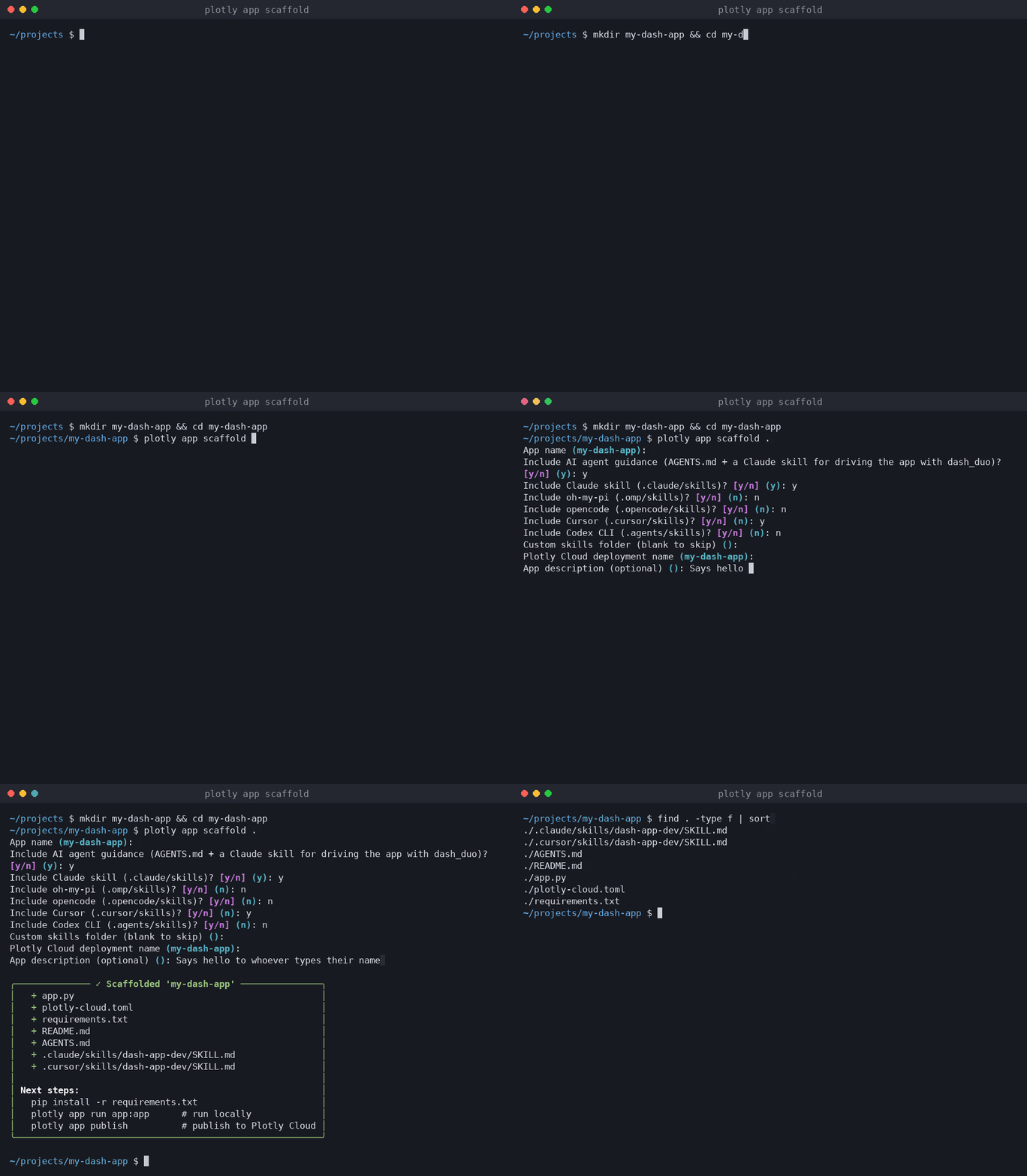
The Plotly Cloud CLI 0.6.0 is here, with a new plotly app scaffold command that makes it easier to build Dash apps with AI coding agents.
Read the full blog post here:
TL;DR
- Version 0.6.0 of the Plotly Cloud CLI, released on November 16, 2026, adds plotly app scaffold, which creates a working Dash app that’s ready to publish to Plotly Cloud.
- Next to the app, it writes an AGENTS.md and a dash-app-dev skill that teach your AI coding agent to run the app in a real browser with dash_duo, Dash’s own test fixture, so it can click, type, read console errors, and take screenshots.
- The skill can be written for five coding agents at once (Claude Code, Cursor, Codex CLI, opencode, and oh-my-pi) or into any folder you choose.
- –update adds the same guidance to an app you already have, without touching your code or the rest of your AGENTS.md.
- To try it, run pip install -U plotly-cloud, then plotly app scaffold my-dash-app.
More and more Dash apps start with a prompt to a coding agent like Claude Code or Cursor. The agents write layouts and callbacks well, but they usually can’t see the app they’re building. They edit app.py, maybe start the server, and then guess whether the page renders, whether the callback fires, and whether the browser console is full of errors. You end up being the agent’s eyes, taking screenshots and pasting error messages back into the chat.
Dash has had a way to look at a running app from Python for years: dash_duo, the pytest fixture in dash[testing] that the Dash team uses to test Dash itself. It starts the app, drives a real Chrome browser, and shuts both down when it’s done. The new plotly app scaffold command puts that tool in your agent’s hands from the first prompt, by starting each new app with instructions the agent reads on its own.