How to use MathJax and dcc.Link in Dash AG Grid cells
Rendering MathJax and dcc.Link in a cell was a popular feature request for DataTable. Now that DataTable is deprecated, this post shows how to do this with Dash AG Grid.
These examples create custom cell renderers using dcc.Markdown and dcc.Link. See more information in the Dash AG Grid Docs
1. Render MathJax in a cell
Use a custom cell renderer with dcc.Markdown to render formulas in AG Grid cells. This allows you to include both Markdown and MathJax in the cell content.
When the content can span multiple lines, set autoHeight=True on the column so that AG Grid adjusts the row height to show the entire cell.

from dash import Dash, html, dcc  # be sure to include dcc to make dcc.Markdown available to custom cell renderer
import dash_ag_grid as dag

app = Dash()

columnDefs = [
    {
        "field": "equation",
        "cellRenderer": "dccMarkdown",
        "cellRendererParams": {
            "mathjax": True,
        },
        "autoHeight": True,
        "wrapText": True,
        "flex": 1,
    }
]

rowData = [
    {"equation": r"$E = mc^2$"},
    {"equation": r"$\int_0^1 x^2 dx = \frac{1}{3}$"},
    {
        "equation": r"""### Mass-Energy Equivalence
Einstein's famous equation describes the relationship between mass and energy.

$$E = mc^2$$
"""
    },
]

app.layout = html.Div([
    html.H3("Example with dcc.Markdown in cells (Mathjax)"),
    dag.AgGrid(
        columnDefs=columnDefs,
        rowData=rowData,
    )
])

if __name__ == "__main__":
    app.run(debug=True)
Put this in a .js file in /assets:
var dagcomponentfuncs = window.dashAgGridComponentFunctions = window.dashAgGridComponentFunctions || {};

dagcomponentfuncs.dccMarkdown = function (props) {
    return React.createElement(
        window.dash_core_components.Markdown, {
            children: props.value,
            className: props.className,
            style: props.style,
            dangerously_allow_html : props.dangerously_allow_html | false,
            link_target: props.link_target,
            mathjax: props.mathjax
        })
};
2. Use dccLink with Markdown in a cell
dcc.Markdown allows for a dccLink component as markdown content.
This requires setting dangerously_allow_html=True on dccMarkdown cell renderer.
Use this when a cell contains a combination of Markdown text and dcc.Link which navigates to new pages without refreshing the page. (Great for multi-page apps)

from dash import Dash, html, dcc  # be sure to include dcc to make dcc.Markdown available to custom cell renderer
import dash_ag_grid as dag


app = Dash()

rowData = [
    {
        "content": """
### Home Page
<dccLink href="/" children="Go to the Home Page"/>
This link takes you back to the home page.
"""
    },
    {
        "content": """
### Page One
<dccLink href="/page-1" children="Go to Page One"/>
Use `dccLink` to navigate between pages in a multi-page app.
"""
    },
]

columnDefs = [
    {
        "field": "content",
        "cellRenderer": "dccMarkdown",
        "cellRendererParams": {
            "dangerously_allow_html": True,
        },
        "autoHeight": True,
        "flex": 1,
    }
]

app.layout = html.Div(
    [
        html.H3("Example with dcc.Markdown in cells.  Use dccLink to switch pages in a multi page app without refreshing the page"),
        dag.AgGrid(
            id="grid",
            columnDefs=columnDefs,
            rowData=rowData,
        ),
    ]
)

if __name__ == "__main__":
    app.run(debug=True)


app = Dash()

columnDefs = [
    {
        "field": "equation",
        "cellRenderer": "dccMarkdown",
        "cellRendererParams": {
            "mathjax": True,
        },
        "autoHeight": True,
        "wrapText": True,
        "flex": 1,
    }
]

rowData = [
    {"equation": r"$E = mc^2$"},
    {"equation": r"$\int_0^1 x^2 dx = \frac{1}{3}$"},
    {
        "equation": r"""### Mass-Energy Equivalence
Einstein's famous equation describes the relationship between mass and energy.

$$E = mc^2$$
"""
    },
]

app.layout = html.Div([
    html.Div("Example with dcc.Markdown in cells (Mathjax)"),
    dag.AgGrid(
        columnDefs=columnDefs,
        rowData=rowData,
    )
])

if __name__ == "__main__":
    app.run(debug=True)
Uses the same dccMarkdown cell render in example above.
3. Use dcc.Link cell renderer
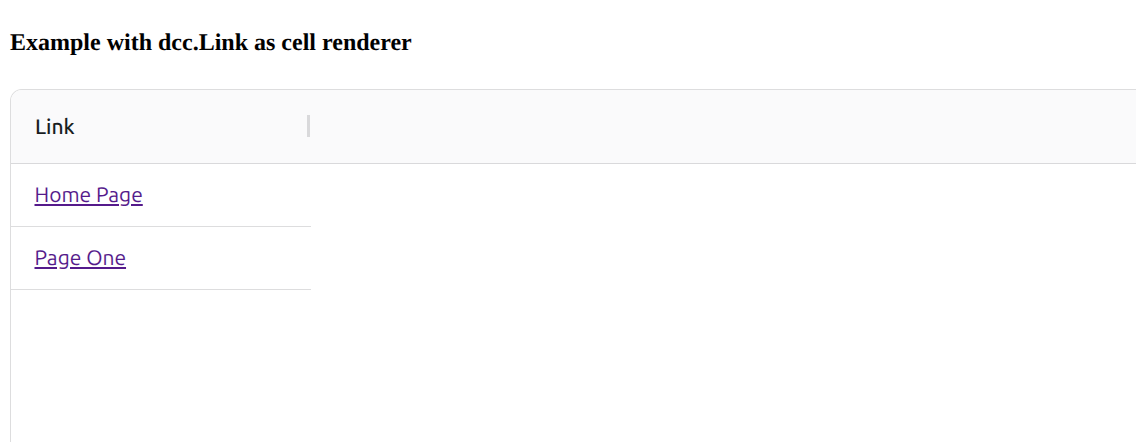
If the cell only contains a link, you can create a custom cell renderer that renders a dcc.Link directly.
This is simpler than using dcc.Markdown when you don’t need Markdown formatting:
- There is no Markdown parsing.
- You don’t need
dangerously_allow_html=True. - The cell value can be used directly as the link text.
- The URL can be taken from the row data.
from dash import Dash, html, dcc  # be sure to include dcc to make dcc.Markdown available to custom cell renderer
import dash_ag_grid as dag

app = Dash()

rowData = [
    {"link": "Home Page", "href": "/"},
    {"link": "Page One", "href": "/page-1"},
]

columnDefs = [
    {
        "field": "link",
        "cellRenderer": "dccLink",
    }
]

app.layout = html.Div(
    [
        html.H3("Example with dcc.Link as cell renderer"),
        dag.AgGrid(
            id="grid",
            columnDefs=columnDefs,
            rowData=rowData,
        ),
    ]
)

if __name__ == "__main__":
    app.run(debug=True)
Put this in a .js file in /assets
var dagcomponentfuncs = window.dashAgGridComponentFunctions = window.dashAgGridComponentFunctions || {};

dagcomponentfuncs.dccLink = function (props) {
    return React.createElement(
        window.dash_core_components.Link,
        {
            children: props.value,
            href: props.data.href,
        }
    );
};