Hey everyone! Major new feature available in Plotly Studio Embedded this week: Converting sessions to editable PDF reports.
Every session in Plotly Studio Embedded contains data, graphs, thinking blocks, SQL queries, and summaries. These sessions can now be exported to a pre-formatted report that you can easily share with your colleagues. Every element is editable, so you can modify the AI-written copy, write your summary, remove irrelevant charts, display the underlying SQL queries (or hide them!) and more.
There’s a lot of “passing slop around” in today’s AI experiences. Sending a massive chat transcript is the iconic example of this 
In Plotly Studio Embedded, we focussed on showing the data and graphs front-and-center, so you don’t have to wade through a wall of text. The editing experience makes it very easy to hide graphs and thinking blocks that aren’t relevant, and rewrite any of the summaries in your own words 
More graphs, less slop!
The data, graphs, and queries that Plotly Studio Embedded uses are all ones that are registered directly in the Dash code. This means that you have full control over which data you are exposing to your end users via an AI interface, which can really help curate your agentic experience for your users and reduce the risk of users chatting with incomplete, messy, or outdated data. Plus, since you preconfigure the data connection in code, your end users don’t need to set up anything on their own. And that’s what Dash is all about: giving your end users exactly what they want.
Here are some screenshots of the feature:
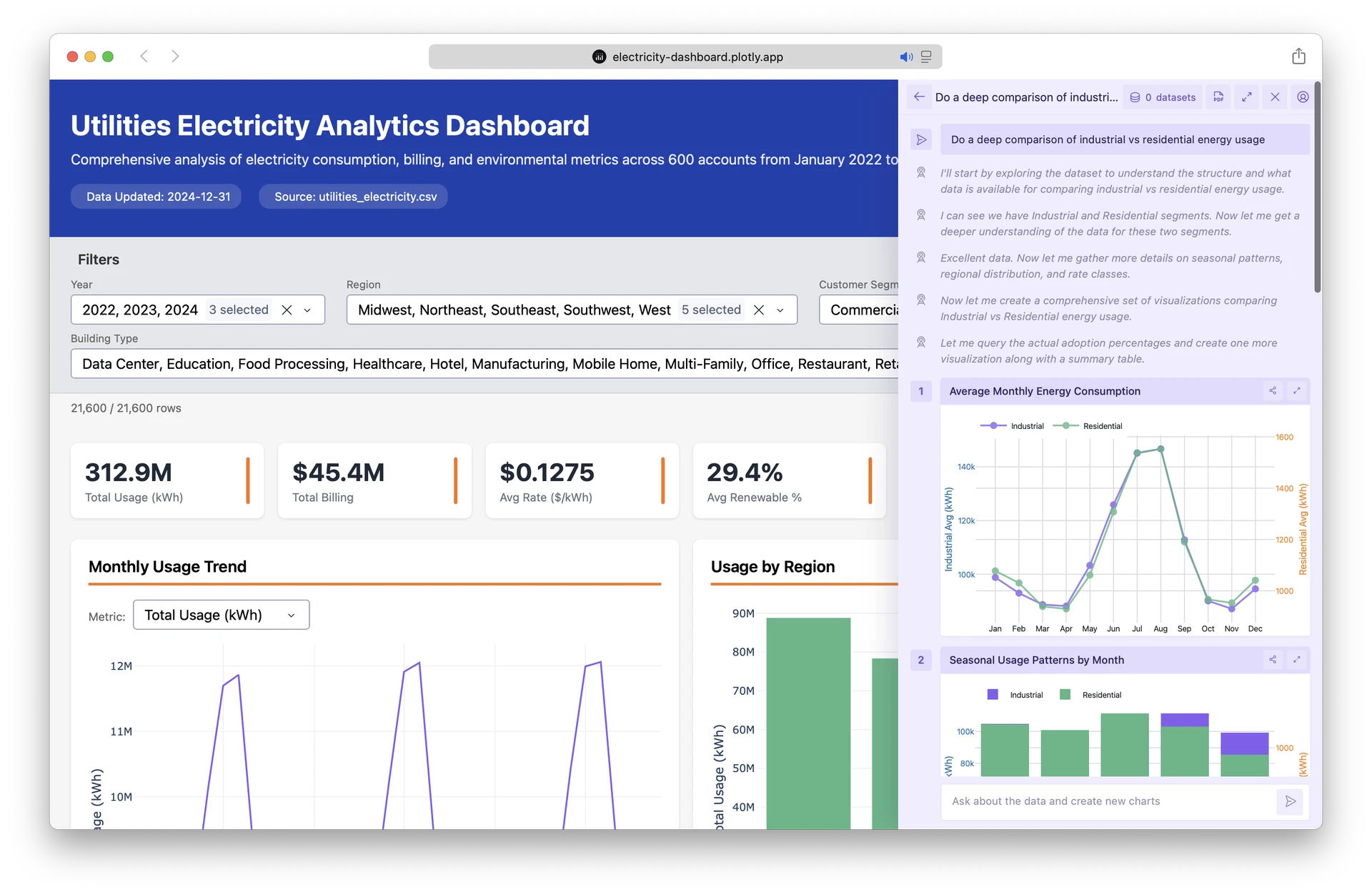
The AI agentic session on top of an existing Dash app:
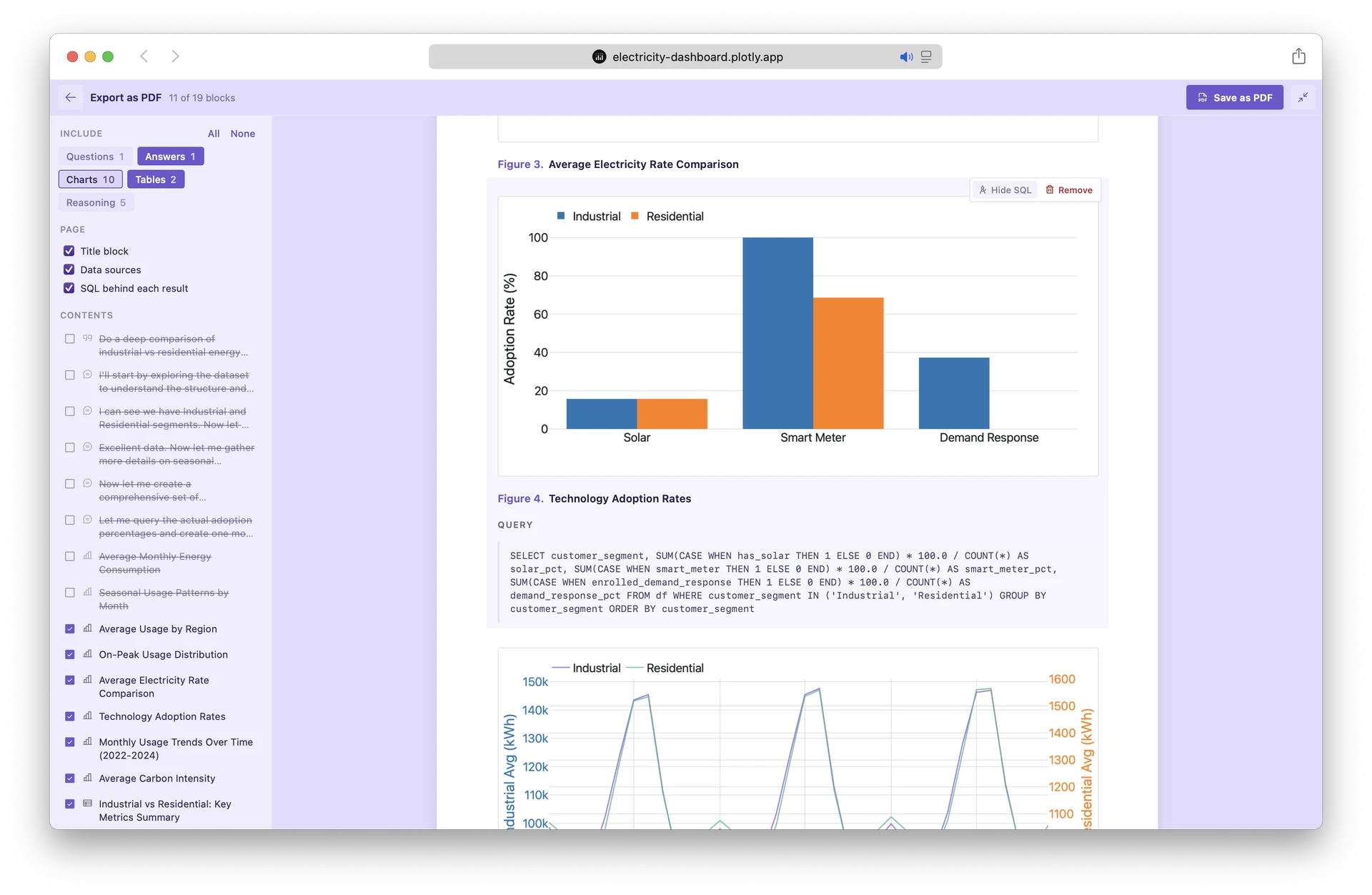
The editable report interface:

Exported as PDF:

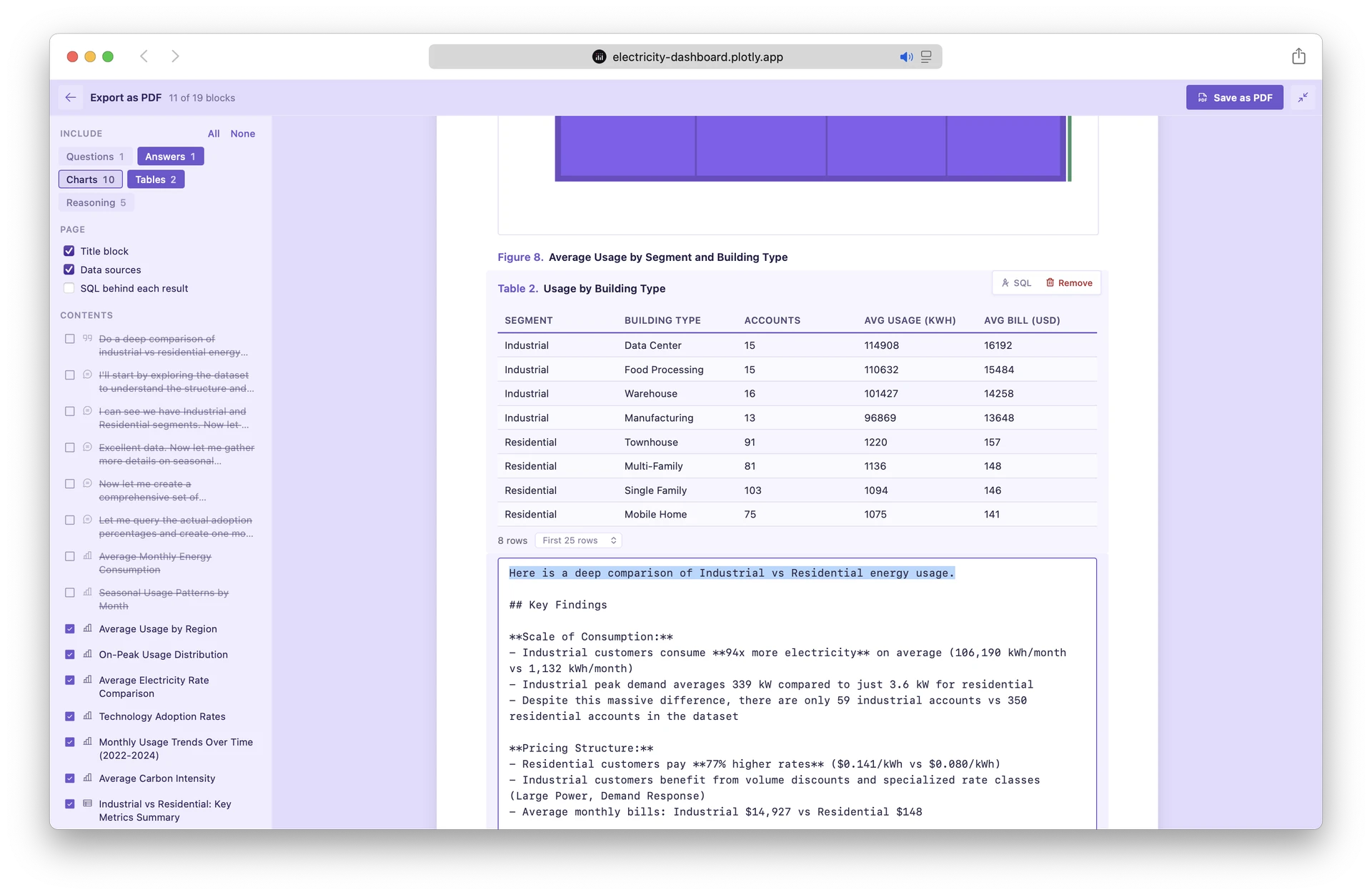
All aspects of the report are editable, including things like hiding or showing the underlying queries:
and editing the summaries in your own words:
This feature is now generally available on Plotly Cloud. Deploy your Dash apps to Plotly Cloud, expose a global dataframe(s) in your code or a get_data() function, and then flip on the Plotly Studio Embedded switch. And support for this feature in Dash Enterprise is coming this year 