Starting from version 3.0.0, Dash introduces a new hooks mechanism. Its essence is to enable developers to additionally integrate custom functionalities into different parts of a Dash application (such as page content, callback logic, error handling, etc.) on top of the existing project, following a low-coupling approach.
For the vast majority of Dash application developers, there’s no need to understand the underlying principles of this mechanism. You can directly install and use various ready-made plugins built upon the hooks mechanism via pip. Below, we introduce some practical out-of-the-box Dash plugins to enhance the daily development and deployment experience of Dash applications. You can also find the curated list of available plugins and official tutorials on developing custom Dash plugins in the repository linked below:
dash-change-cdn-plugin
The first Dash plugin we’ll introduce, dash-change-cdn-plugin, is extremely useful for developers who need to deploy Dash applications over the internet. Install the plugin by executing the following command in your terminal, just like a regular Python package installation:
pip install dash-change-cdn-plugin -U
Here’s a very simple Dash application example:
import dash
from dash import html
import feffery_antd_components as fac
from feffery_dash_utils.style_utils import style

# Import the dash-change-cdn-plugin
from dash_change_cdn_plugin import setup_change_cdn_plugin

# Enable the plugin functionality
setup_change_cdn_plugin()

# Note: Set serve_locally=False to utilize external CDN resources
app = dash.Dash(__name__, serve_locally=False)

app.layout = html.Div(
    [
        fac.AntdAlert(
            message="测试信息内容",
            description="测试描述内容",
            showIcon=True,
            type="success",
        )
    ],
    style=style(padding=50),
)

if __name__ == "__main__":
    app.run()
The crucial part of the code is only this line:
# Enable the plugin functionality
setup_change_cdn_plugin()
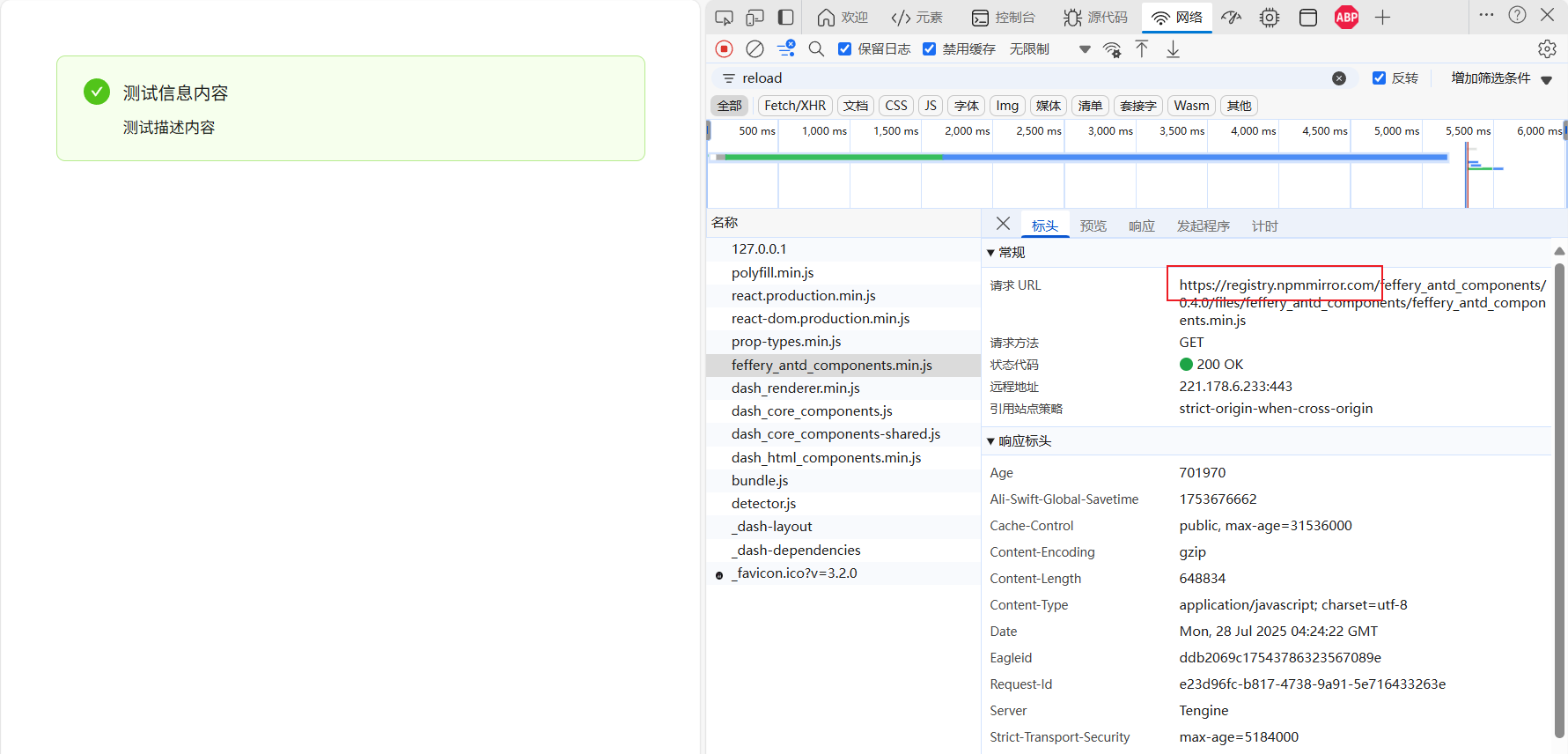
With this, the default CDN URLs (pointing to unpkg) used for static resources in non-debug mode when serve_locally=False is set in dash.Dash(), will be automatically redirected by the dash-change-cdn-plugin to other faster and more stable CDN addresses. This significantly accelerates your application’s loading speed  :
:
Additionally, if you don’t want to use the default npmmirror CDN source, you can easily switch to other popular public CDNs like jsdelivr or fastly-jsdelivr via plugin parameters. For details, refer to the dash-change-cdn-plugin documentation:
dash-console-filter-plugin
The next Dash plugin, dash-console-filter-plugin, is also highly practical. With it, you can suppress specified single or multiple keywords in error messages, preventing them from being printed in the browser console. This is ideal for filtering out redundant warning messages that don’t negatively impact application functionality. Install with:
pip install dash-console-filter-plugin -U
A common simple example:
import dash
from dash import html
import feffery_antd_components as fac
from feffery_dash_utils.style_utils import style

app = dash.Dash(__name__)

app.layout = html.Div(
    fac.AntdSelect(
        placeholder="Please select", options=list("abcedf"), style=style(width=100)
    ),
    style=style(padding=50),
)

if __name__ == "__main__":
    app.run(debug=True)
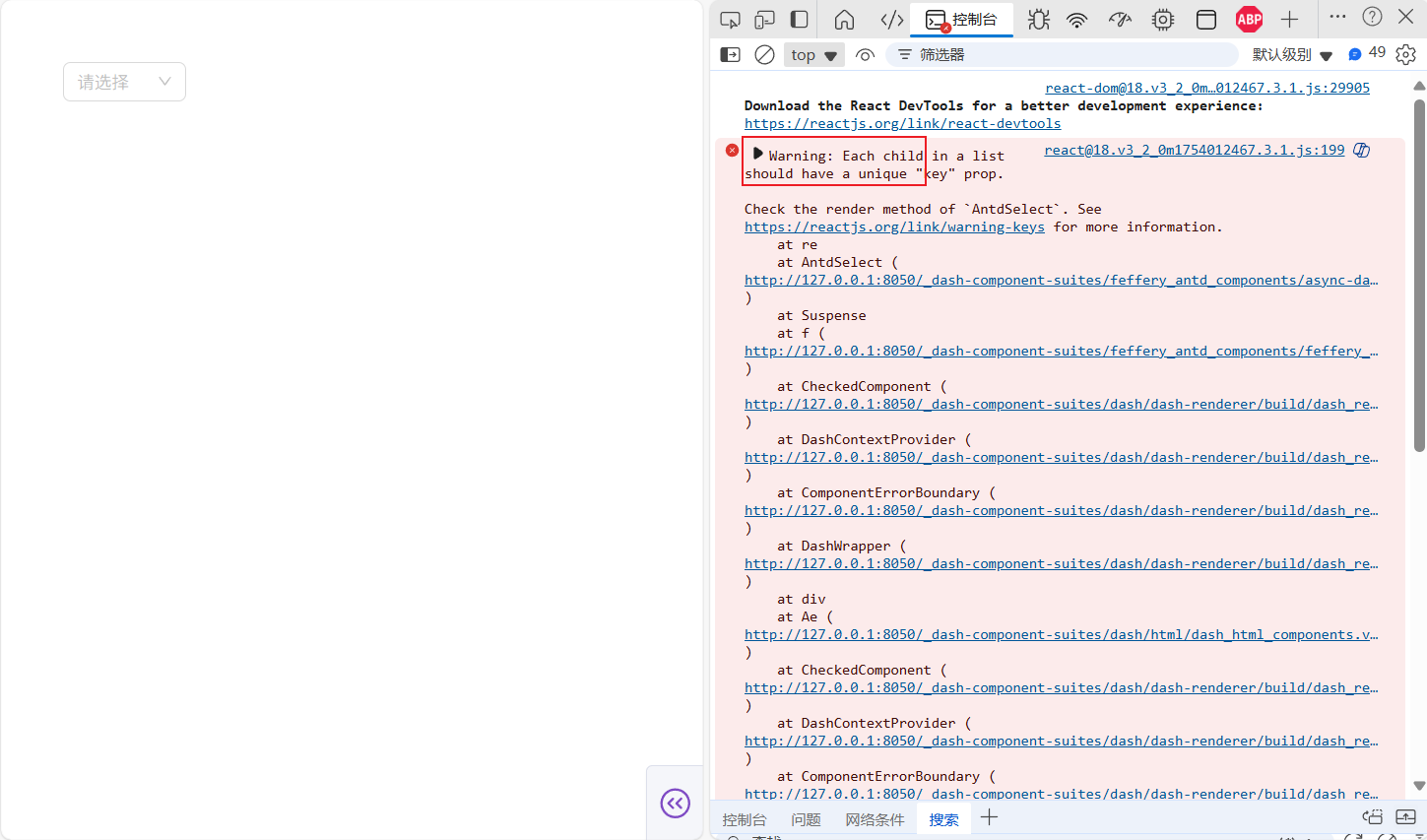
By default, due to Dash’s underlying React parameter specification checking mechanism, the above application produces the following warning in the browser console:
These types of low-level React messages starting with Warning: are typically harmless to Dash applications. Enable dash-console-filter-plugin to filter unnecessary output:
from dash_console_filter_plugin import setup_console_filter_plugin

# Suppress errors containing the specified keywords
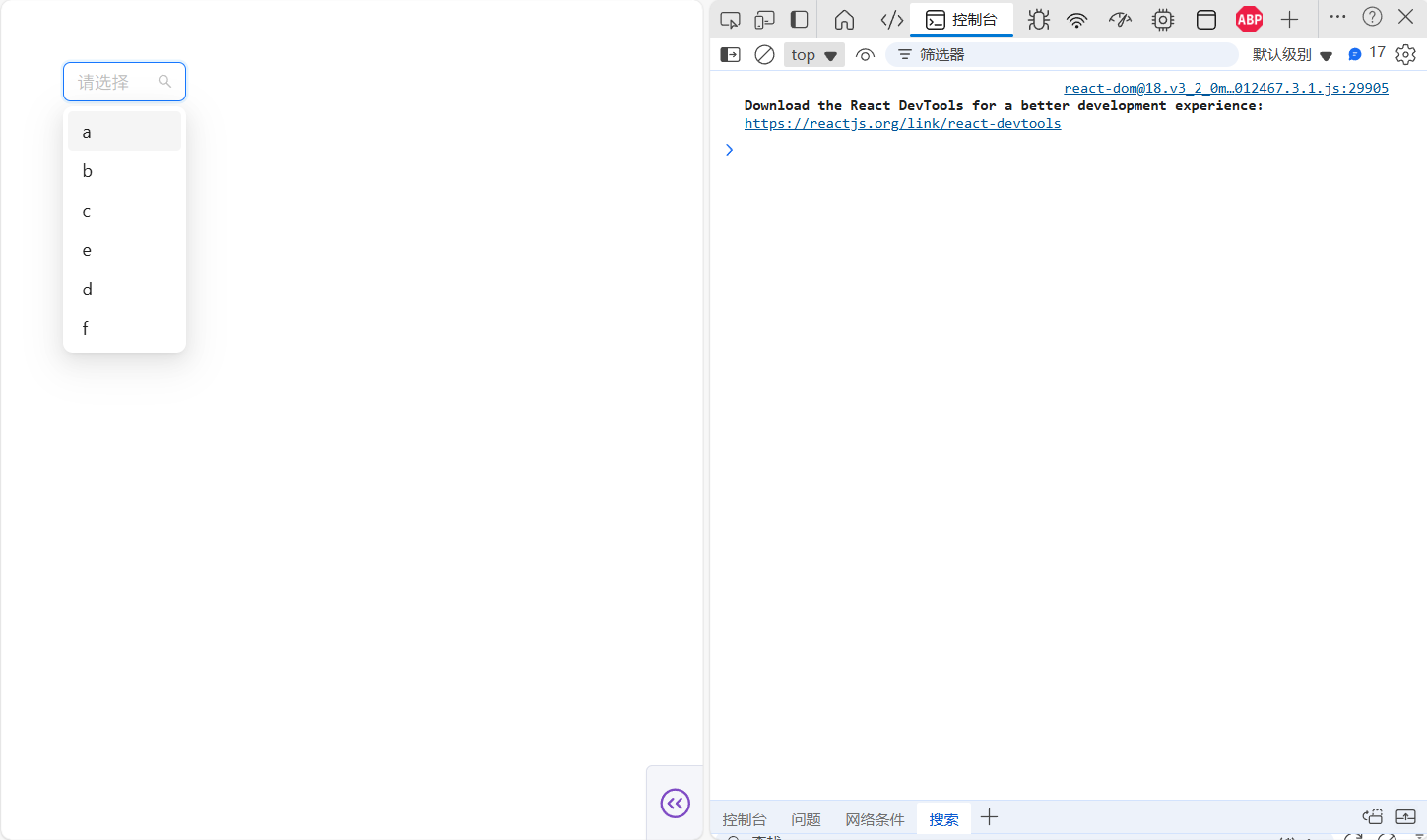
setup_console_filter_plugin(keywords=["Warning: Each child"])
After the plugin takes effect, the console becomes much cleaner (recommended only for suppressing non-critical messages like this):
Learn more in the dash-console-filter-plugin documentation:
dash-performance-monitor-plugin
The dash-performance-monitor-plugin is useful during the development and debugging phase of Dash applications. Install via:
pip install dash-performance-monitor-plugin -U
Add the following code to any Dash application:
# Import the dash-performance-monitor-plugin
from dash_performance_monitor_plugin import setup_performance_monitor_plugin

# Enable the plugin functionality
setup_performance_monitor_plugin()
This enables real-time monitoring of application performance metrics (FPS, memory usage, etc.) in your app, ideal for optimizing complex applications:

Refer to the dash-performance-monitor-plugin docs for details:
dash-react-scan-plugin
The dash-react-scan-plugin also targets performance optimization during development, but focuses on monitoring the rendering performance of individual components for granular tuning. Install with:
pip install dash-react-scan-plugin -U
Add to your application:
# Import the dash-react-scan-plugin
from dash_react_scan_plugin import setup_react_scan_plugin

# Enable the plugin functionality
setup_react_scan_plugin()
This adds detailed rendering performance monitoring for all components in your application:
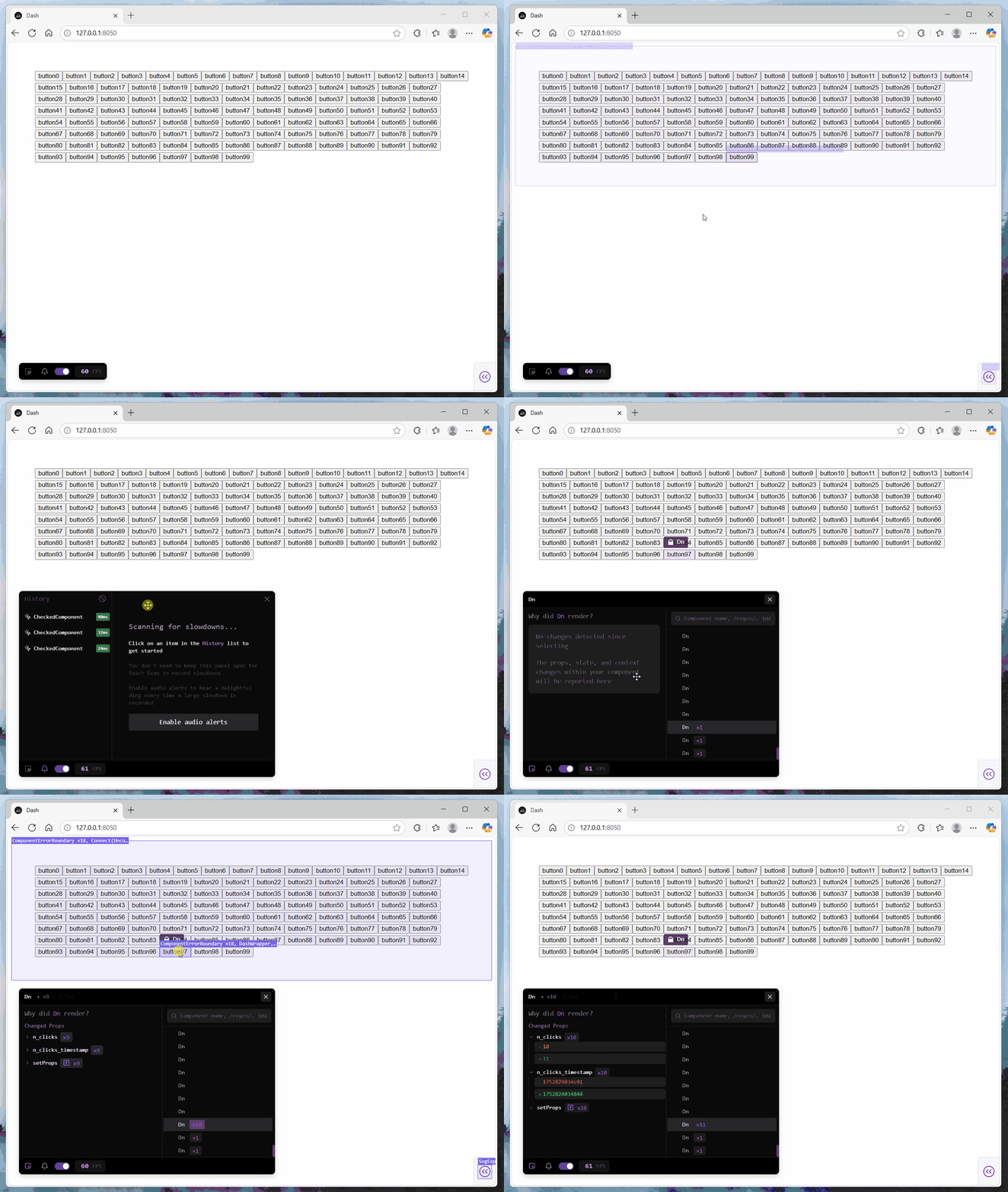
Find usage instructions in the dash-react-scan-plugin documentation:
dash-disable-devtool-plugin
Use dash-disable-devtool-plugin to prevent visitors from debugging or reverse-engineering your deployed Dash application via browser developer tools. Install via:
pip install dash-disable-devtool-plugin -U
Add to your application:
# Import the dash-disable-devtool-plugin
from dash_disable_devtool_plugin import setup_disable_devtool_plugin

# Enable the plugin functionality
setup_disable_devtool_plugin()
This quickly enables anti-debug protection for your application:

dash-disable-devtool-plugin also supports common security features like disabling text selection, disabling copy, etc. See its documentation for more:
dash-offline-detect-plugin
Deploy dash-offline-detect-plugin when you want your Dash application to provide clear notifications to users during backend service interruptions. Install with:
pip install dash-offline-detect-plugin -U
Add to your application:
# Import the dash-offline-detect-plugin
from dash_offline_detect_plugin import setup_offline_detect_plugin

# Enable the plugin functionality
setup_offline_detect_plugin()
This enables service outage notification prompts for active application users:

dash-offline-detect-plugin supports custom notification content. Learn more in its docs:
What a powerful list of Dash plugin. Thank you for sharing, @CNFeffery . I’m going to talk to my colleagues and see if we can highlight this on social media as well.
Which one of these plugins do you use the most?
I utilize these plugins based on different stages of Dash application development and specific requirements:
These are great, I love this thread. I can easily imagine plenty of these finding uses in production apps – and I think honestly you’re just scratching the surface of what’s possible. Fabulous creativity, keep building and sharing. I’m excited for you to get your hands on the upcoming devtools hook, which will let developers build custom extensions for the devtools UI. We’re putting some more touches on it to get it ready but will be keen on your feedback once it ships.
There is indeed a great deal of room for imagination in injecting additional developer tool functions for devtools. Currently, the following aspects come to mind:
- Quickly view the
Dash version, the versions of various component libraries, system information, and browser version information involved in the current Dash application, and support one-click copying.
- Provide a convenient query page. When developers enter the target component ID, they can directly view:
- The current state of all props values of the corresponding component.
- All the relevant callback function relationships that the corresponding component participates in (additionally, it is hoped that the function names corresponding to different callback function relationships can be obtained, but currently, it is not known how to achieve this in
Dash).
- Provide an interface to view all the URL interface information in the current application (distinguish between those built into
Dash and those customized by users)