Hey Plotly Community! 
I’m excited to share three new component libraries that bring advanced layout capabilities to your Dash applications. These components are now fully documented with live examples on pip-install-python.com.
I’ve also decided to archive dash-dock and remove the api-key lock required for premium features, all of the components, docks and tools available on pip docs will be open-source with no limitations.
 Dash Flows - Interactive Flow Diagrams for Dash
Build interactive node-based flow diagrams with ease!
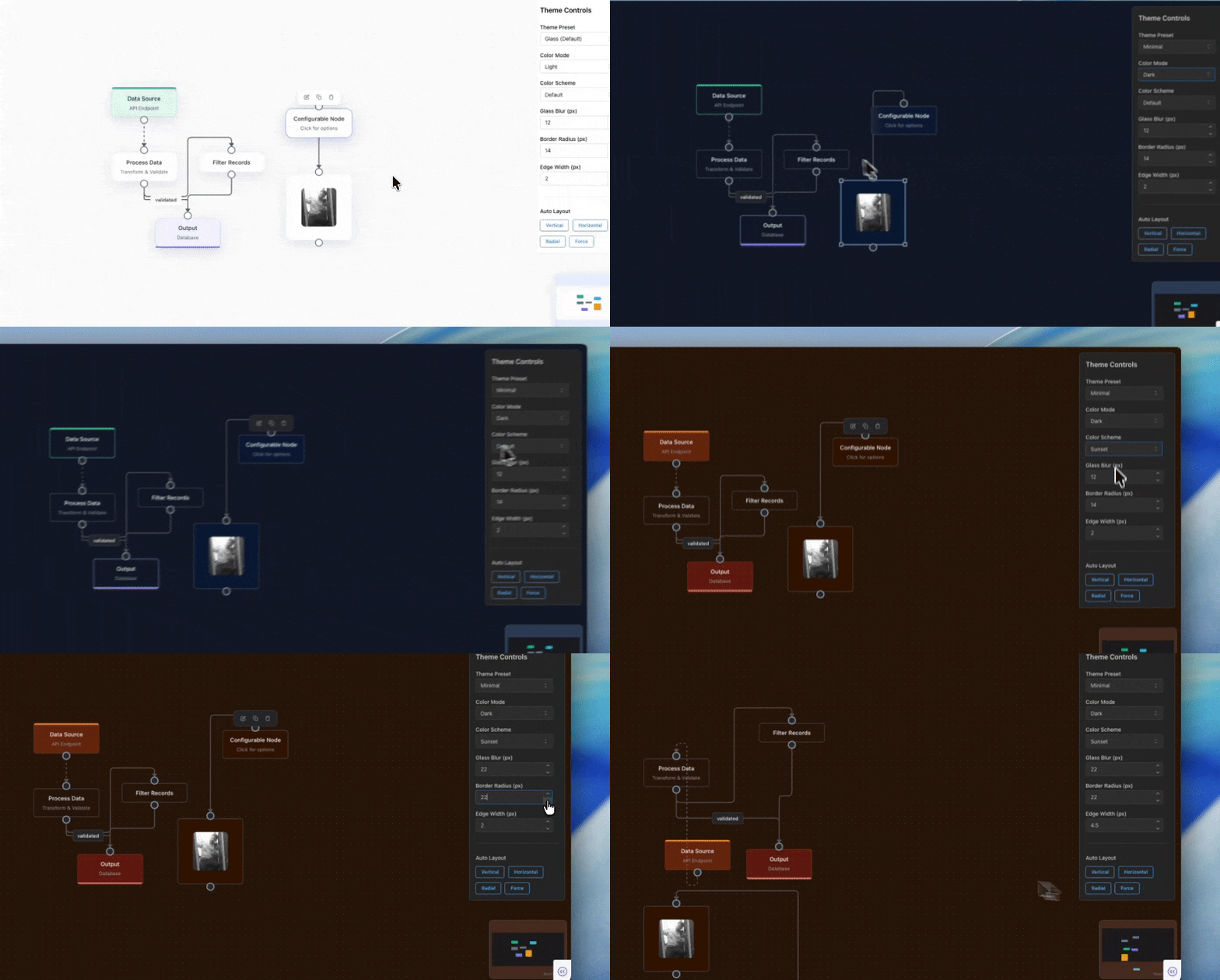
Dash Flows is a thin wrapper around React Flow, bringing powerful flow diagram capabilities to Dash. Perfect for creating workflow visualizations, flowcharts, network diagrams, and node editors.
 Key Features
- Interactive Nodes & Edges: Drag, connect, and interact with nodes
- Multiple Node Types: Default, input, output, and custom nodes
- Smart Layouts: Automatic layouts with ELK (hierarchical, force-directed, radial)
- Edge Customization: Straight, step, smoothstep, and bezier edges with labels
- Callbacks Support: Full Dash callback integration for click, drag, and connection events
- Minimap & Controls: Built-in navigation tools for complex diagrams
 Installation
pip install dash-flows
 Documentation & Examples
Explore comprehensive examples:
 Dash Dock View - Premium Dock Layout System
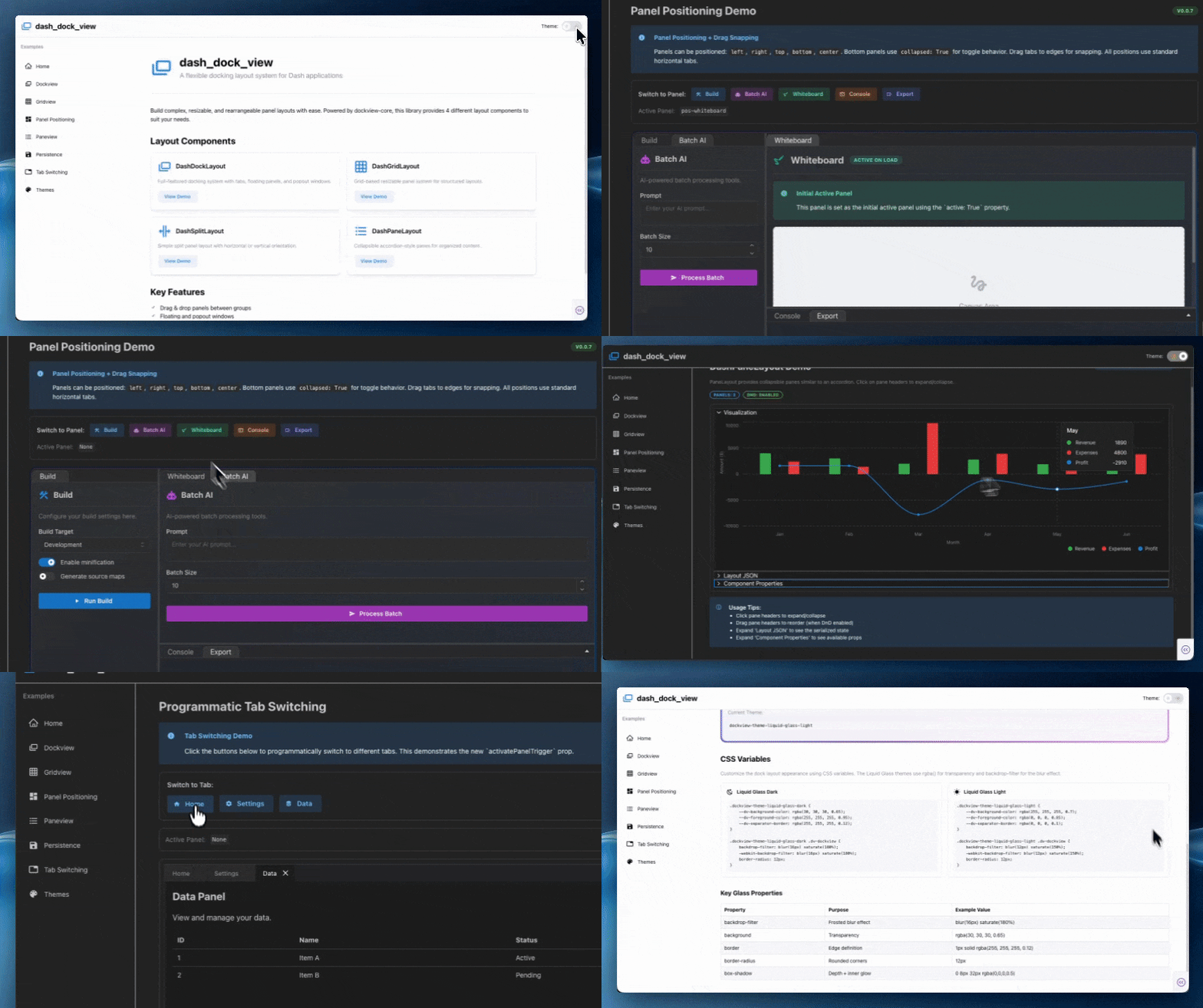
Create professional IDE-like layouts with floating windows and tabbed panels!
Dash Dock View brings the power of RC-Dock to Dash, offering a premium layout system with drag-and-drop panels, tabbed interfaces, and floating windows. Perfect for dashboards, data exploration tools, and complex applications.
Key Features
- Drag & Drop Panels: Rearrange your layout interactively
- Floating Windows: Pop out panels into separate windows
- Tabbed Interface: Organize content with multi-tab support
- Nested Layouts: Create complex hierarchies of rows, columns, and tabs
- State Management: Save and restore layout configurations
- Theme Support: Built-in light/dark themes + custom themes
- Liquid Glass Design: Apple WWDC 2025 inspired glassmorphism theme
Installation
pip install dash-dock-view
Documentation & Examples
Explore comprehensive examples:
 Premium Features
Dash Dock View includes premium features like:
- Pop-out windows - Float panels as separate windows
- Maximum button - Maximize panels to full screen
- Advanced themes - Professional theme system
- State persistence - Save/restore layouts
 Dash Flex Layout - Flexible Layout Manager
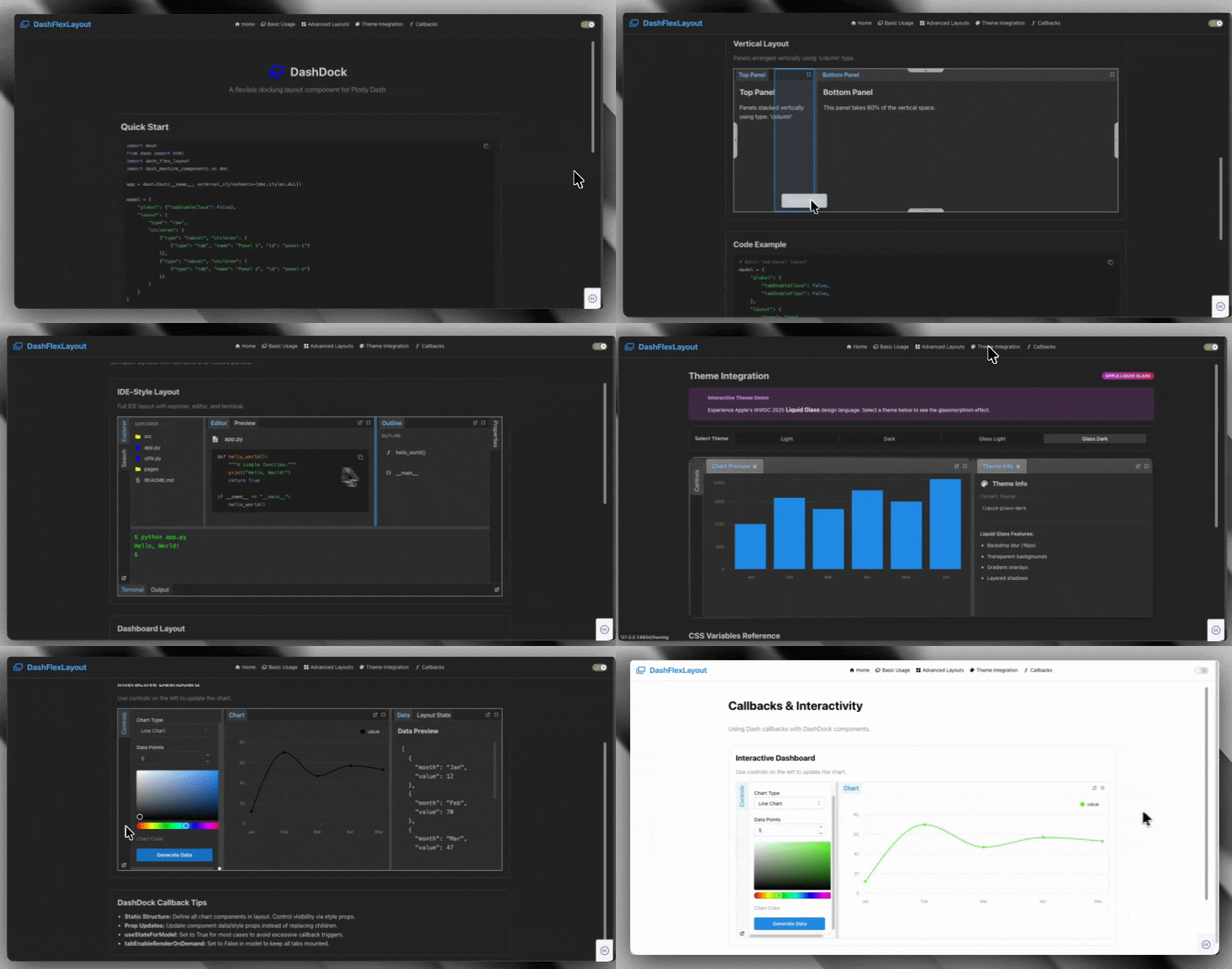
- previously this component was
dash-dockwhich has been archived and replaced with a nameflexlayout-dashcloser aligned with its original inspirationflexlayout-react
Build resizable, responsive layouts with ease!
Dash Flex Layout (flexlayout-dash) is a wrapper around FlexLayout-React, providing a flexible and powerful layout system with resizable panels, tabs, and drag-and-drop support.
Key Features
- Resizable Panels: Drag dividers to resize sections
- Tabbed Interface: Multiple tabs within panels
- Drag & Drop: Rearrange tabs between panels
- Nested Layouts: Create complex row/column hierarchies
- State Management: Track and save layout changes
- Responsive Design: Adapts to different screen sizes
- Theme Integration: Works seamlessly with Dash Mantine Components
Installation
pip install flexlayout-dash
Documentation & Examples
Explore comprehensive examples:
 New in v1.1.0: Liquid Glass Themes
All layout components now feature Apple WWDC 2025 inspired liquid glass themes! Experience beautiful glassmorphism with:
- Backdrop blur effects (20px blur, 180% saturation)
- Translucent gradients that adapt to light/dark modes
- Smooth transitions and professional depth
- Completely isolated theme implementations
Check out the live theme showcases:
 Getting Started
All three components are:
 Production-ready - Stable and well-tested
Fully documented - Comprehensive guides and examples
Theme-aware - Support for light/dark modes
Callback-enabled - Full Dash integration
Open source - Available on PyPI and GitHub
Useful Links
- Documentation Site: https://pip-install-python.com
- Dash Flows: Pip Install Python - Open Source Dash Packages & Documentation
- Dash Dock View: Pip Install Python - Open Source Dash Packages & Documentation
- Dash Flex Layout: Pip Install Python - Open Source Dash Packages & Documentation
- GitHub: pip-install-python (Pip Install Python) · GitHub
- Youtube: https://www.youtube.com/@pipinstallpython
- PyPI: Search for
dash-flows,dash-dock-view,flexlayout-dash
 Feedback & Questions
I’d love to hear your thoughts! Have you tried any of these components? What layouts are you building with Dash?
Feel free to:
 Star the repos on GitHub
 Report issues or suggest features
 Share your use cases
 Ask questions in this thread
Happy building!
*Made with  by Pip Install Python LLC
