Oh!
I’m sorry. I have this is my css file.
.hidden {
 display: none
}
It’s just second nature I guess. I have that as a default in all of my websites. XD
Oh!
I’m sorry. I have this is my css file.
.hidden {
display: none
}
It’s just second nature I guess. I have that as a default in all of my websites. XD
@jinnyzor Thanks a lot! That fixed the issue.
There’s a couple of minor issues however.
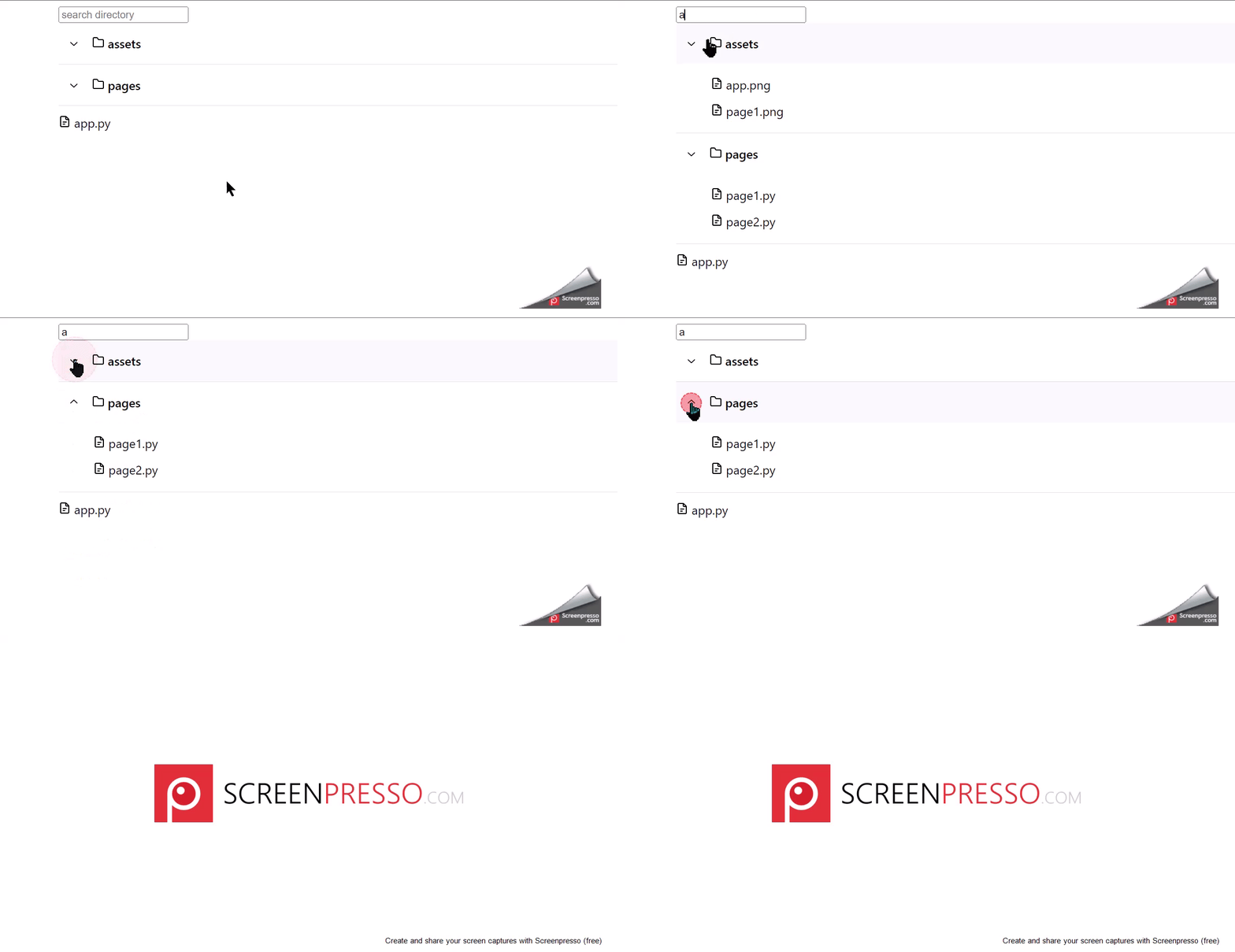
Accordion item seems to be in the reverse orientation. The arrows have to be clicked to get them in the right orientation.Accordion items, except that of the first Accordion item, do not work the first time they are clicked. They have to be clicked twice in order for the items to contract. For example, when I type ‘a’ in the search bar, the Accordion items, “assets” and “pages”, expand. When I click the up arrow next to “assets”, “assets” contracts, which is the desired behavior. However, when I do the same with “pages”, i.e. click the up arrow next to “pages”, it does nothing. I have to click it again for “pages” to contract.Here’s a little video showing the two issues:
@jinnyzor where are you getting the various mantine class names from? Class names like:
.mantine-Accordion-item
.mantine-Text-root
.mantine-Accordion-itemOpened
.mantine-1avyp1d
.mantine-1xa9lqx
From inspecting those elements.