How to add "margin box" in 3D plots similar to 2D plots?

Hello everyone.

I have a figure with subplots. Some of them are 3D plots and some are 2D.

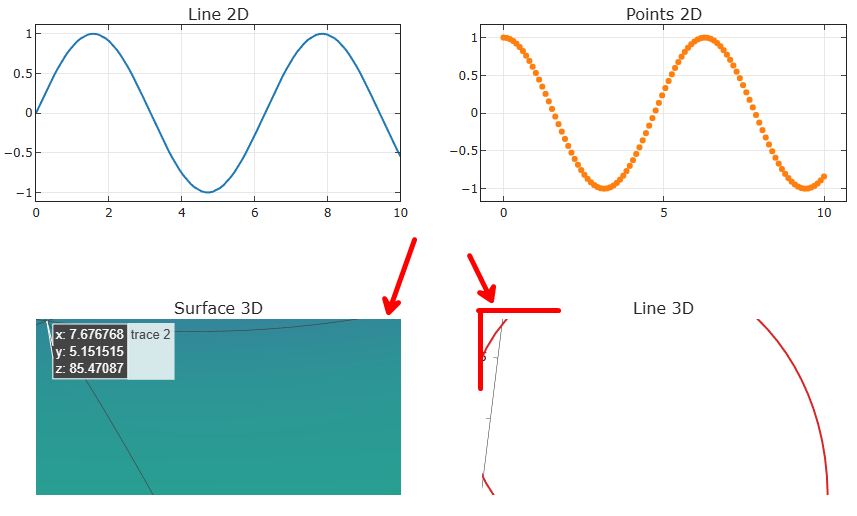
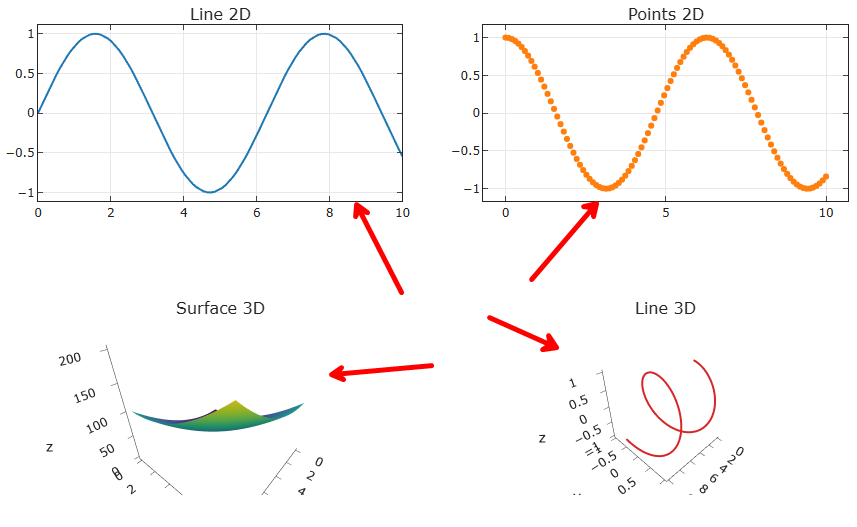
I was able to add a “margin box” to the 2D plots, but I can’t figure out how to do the same in the 3D plots.

Is it possible?

I used the following code to the 2D plots:

figure.update_layout(
    template="simple_white",
    plot_bgcolor="white",
    height=500,
    margin=dict(l=50, r=40, t=30, b=0),
)
.update_xaxes(mirror="allticks", ticks="inside", showgrid=True)
.update_yaxes(mirror="allticks", ticks="inside", showgrid=True)

Hello @diogo welcome to the forums.

I am not sure if I understand. Do you want to see something like cube or rectangle with the 3D plot inside of it?

Exactly,

If I do a zoom on the 3D plot, I can see the borders of the plot.

I would like to see a line in theses borders similar to the lines I see on the 2D plots

The border you are pointing to is the “paper” of the figure object. I am not sure if there is a built in way to show border lines.

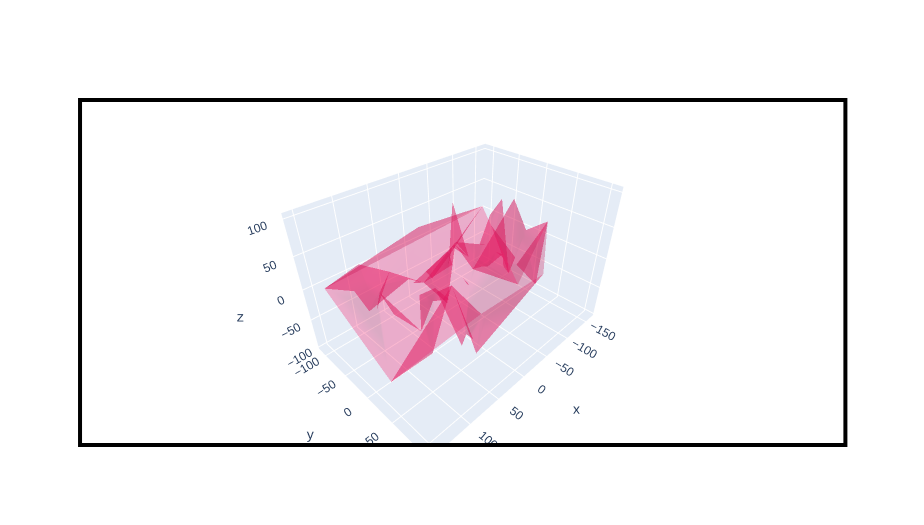
However, with annotations you could draw a frame. Annotations are basically geometric forms or text you can put on the graph. These geometric items can be specified in different ways and different coordinate systems, or references. One of those references is the paper. Overall flow: you define the reference for the annotation, the position (if it is a rectangle x0,y0,x1,y1) and other properties such as color or line width.

An example:

 import plotly.graph_objects as go
import numpy as np
np.random.seed(1)

N = 70

fig = go.Figure(
    data=go.Mesh3d(
        x=(70*np.random.randn(N)),
        y=(55*np.random.randn(N)),
        z=(40*np.random.randn(N)),
        opacity=0.5,
        color='rgba(244,22,100,0.6)'
        )
    )

fig.add_shape(
    type="rect",
    xref="paper", 
    yref="paper",
    x0=0, 
    y0=0, 
    x1=1, 
    y1=1, 
    line=dict(
        color="black",
        width=4,
    )

)
fig.show()

1 Like

Thanks! I think that is exactly this that will solve the problem.

However, I can’t get the correct result with subplots. I tried to do the following:

fig.add_shape(
    row=2,
    col=2,
    type="rect",
    xref="paper",
    yref="paper",
    x0=0,
    y0=0,
    x1=1,
    y1=1,
    line=dict(
        color="black",
        width=4,
    ),
)

But got the result:

ValueError: 
Cannot add shape to subplot at position (2, 2) because subplot
is of type scene.

Is there something I’m doing wrong?

Just to help. The first whole code I used is the following:

import numpy as np
import plotly.graph_objects as go
from plotly.subplots import make_subplots

x = np.linspace(0, 10, 100)
y = np.sin(x)
z = np.cos(x)

sh_x = np.linspace(0, 10, 100)
sh_y = np.linspace(0, 10, 100)
sh_x, sh_y = np.meshgrid(sh_x, sh_y)
sh_z = sh_x**2 + sh_y**2

fig = make_subplots(
    rows=2,
    cols=2,
    specs=[
        [{"type": "xy"}, {"type": "xy"}],
        [{"type": "scene"}, {"type": "scene"}],
    ],
    subplot_titles=("Line 2D", "Points 2D", "Surface 3D", "Line 3D"),
)

fig.add_trace(
    go.Scatter(x=x, y=y, mode="lines", name="Seno"),
    row=1,
    col=1,
)
fig.add_trace(
    go.Scatter(x=x, y=z, mode="markers", name="Cosseno"),
    row=1,
    col=2,
)
fig.add_trace(
    go.Surface(z=sh_z, x=sh_x[0], y=sh_y[:, 0], colorscale="Viridis", showscale=False),
    row=2,
    col=1,
)
fig.add_trace(
    go.Scatter3d(x=x, y=y, z=z, mode="lines", line=dict(width=4)),
    row=2,
    col=2,
)
fig.update_layout(
    height=800,
    width=900,
    showlegend=False,
)
fig = (
    fig.update_layout(
        template="simple_white",
        plot_bgcolor="white",
        height=500,
        margin=dict(l=50, r=40, t=30, b=0),
    )
    .update_xaxes(mirror="allticks", ticks="inside", showgrid=True)
    .update_yaxes(mirror="allticks", ticks="inside", showgrid=True)
)

fig.show()

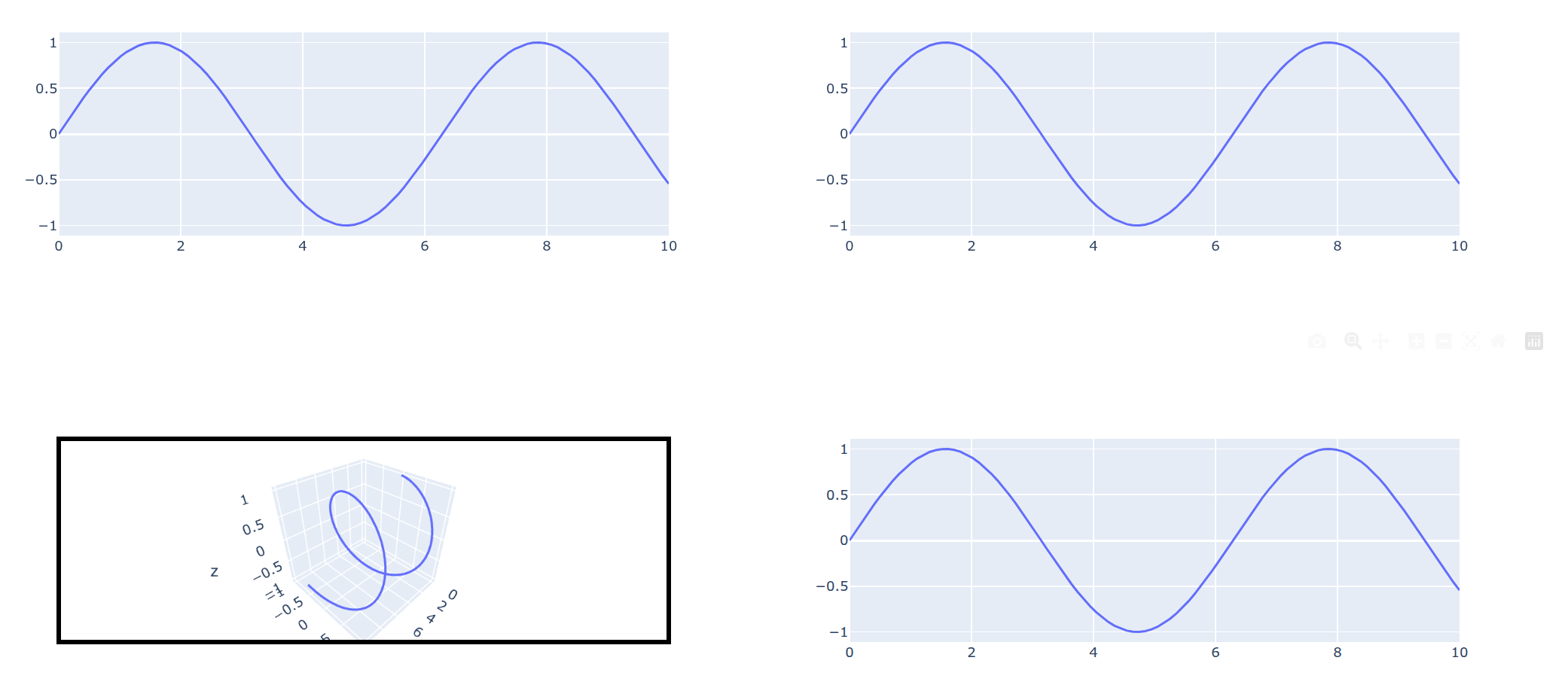
Yeah, subplots are a pain. The thing is that what you arrange in subplots are traces, not figure objects. If you are using jupyter notebooks you might get away with this:

import plotly.graph_objs as go
import ipywidgets as ipw

# create each trace as figure object, add the shape
fig1 = go.Figure(go.Scatter(x=x, y=y, mode="lines", name="Seno"))
fig2 = go.Figure(go.Scatter3d(x=x, y=y, z=z, mode="lines", line=dict(width=4)))
fig2.add_shape(
    type="rect",
    xref="paper", 
    yref="paper",
    x0=0, 
    y0=0, 
    x1=1, 
    y1=1, 
    line=dict(
        color="black",
        width=4,
    )

)
# create the "sublot" based on ipywidgets
# wrap the figure objects with FigureWidgets, put them into 
# a vertical box, containing two horizontal boxes
fig = ipw.VBox([
    ipw.HBox([go.FigureWidget(fig1), go.FigureWidget(fig1)]), 
    ipw.HBox([go.FigureWidget(fig2), go.FigureWidget(fig1)])
])
fig

Other than that you have two more options:

fiddle with the coordinates of the annotation:

fig.add_shape(
    #row=2,
    #col=2,
    type="rect",
    xref="paper",
    yref="paper",
    x0=0.1,
    y0=0,
    x1=0.6,
    y1=0.5,
    line=dict(
        color="black",
        width=4,
    ),
    fillcolor="green"
)

use dash and arrange the figures in html.Div()

1 Like

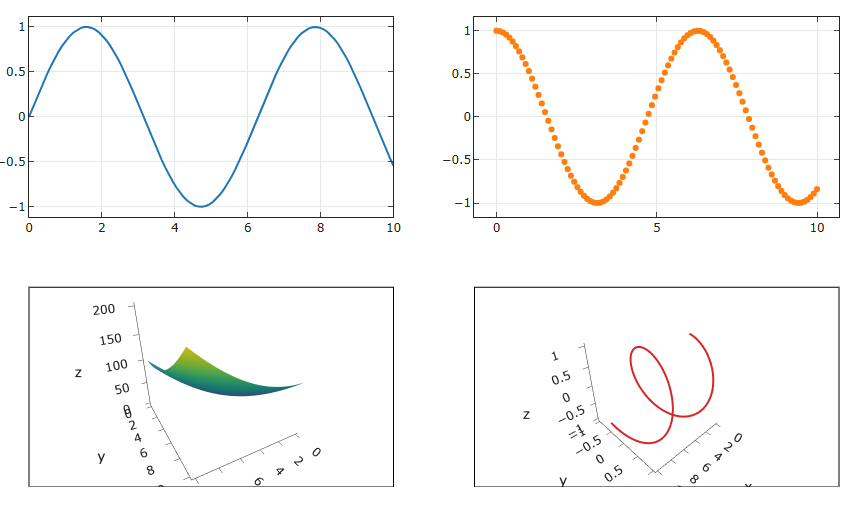
Thanks! I think that adjusting the coordinates solved the problem, because I really need to work with one figure, not in jupyter environment. So, I had to add 2 shapes.

I also had some struggle with the template="simple_white" setting, needing to set manually fillcolor, layerand opacity, but I think it worked in the end.

I final code became:

import numpy as np
import plotly.graph_objects as go
from plotly.subplots import make_subplots

x = np.linspace(0, 10, 100)
y = np.sin(x)
z = np.cos(x)

sh_x = np.linspace(0, 10, 100)
sh_y = np.linspace(0, 10, 100)
sh_x, sh_y = np.meshgrid(sh_x, sh_y)
sh_z = sh_x**2 + sh_y**2

fig = make_subplots(
    rows=2,
    cols=2,
    specs=[
        [{"type": "xy"}, {"type": "xy"}],
        [{"type": "scene"}, {"type": "scene"}],
    ],
)


fig.add_trace(
    go.Scatter(x=x, y=y, mode="lines"),
    row=1,
    col=1,
)
fig.add_trace(
    go.Scatter(x=x, y=z, mode="markers"),
    row=1,
    col=2,
)
fig.add_trace(
    go.Surface(z=sh_z, x=sh_x[0], y=sh_y[:, 0], colorscale="Viridis", showscale=False),
    row=2,
    col=1,
)
fig.add_trace(
    go.Scatter3d(x=x, y=y, z=z, mode="lines", line=dict(width=4)),
    row=2,
    col=2,
)
fig.update_layout(
    height=800,
    width=900,
    showlegend=False,
)


fig.add_shape(
    type="rect",
    xref="paper",
    yref="paper",
    x0=0,
    y0=0,
    x1=0.45,
    y1=0.425,
    line=dict(color="black", width=1),
    layer="below",
    fillcolor="white",
    opacity=1.0,
)

fig.update_layout(
    template="simple_white",
    plot_bgcolor="white",
    height=500,
    margin=dict(l=50, r=40, t=30, b=0),
)

fig.update_xaxes(mirror="allticks", ticks="inside", showgrid=True)
fig.update_yaxes(mirror="allticks", ticks="inside", showgrid=True)


fig.add_shape(
    type="rect",
    xref="paper",
    yref="paper",
    x0=0.55,
    y0=0,
    x1=1,
    y1=0.425,
    line=dict(color="black", width=1),
    layer="below",
    fillcolor="white",
    opacity=1.0,
)

fig.show()

With result:
1 Like