Introducing AI Whiteboard: Your Infinite Canvas Powered by Claude
Hey everyone! 
I’m excited to share a project I’ve been working on: AI Whiteboard - an infinite canvas application that turns your ideas into interactive components using natural language and Anthropic’s Claude API.
 The Problem
Ever found yourself juggling multiple tabs, files, and notes while trying to organize research, analyze data, or brainstorm ideas? Traditional tools force you into rigid structures, and switching between applications breaks your flow.
 The Solution
AI Whiteboard gives you an infinite canvas where you can:
- Talk to Claude to create any component you need
- Drag and drop files to instantly visualize them
- Select multiple items and ask Claude to analyze them together
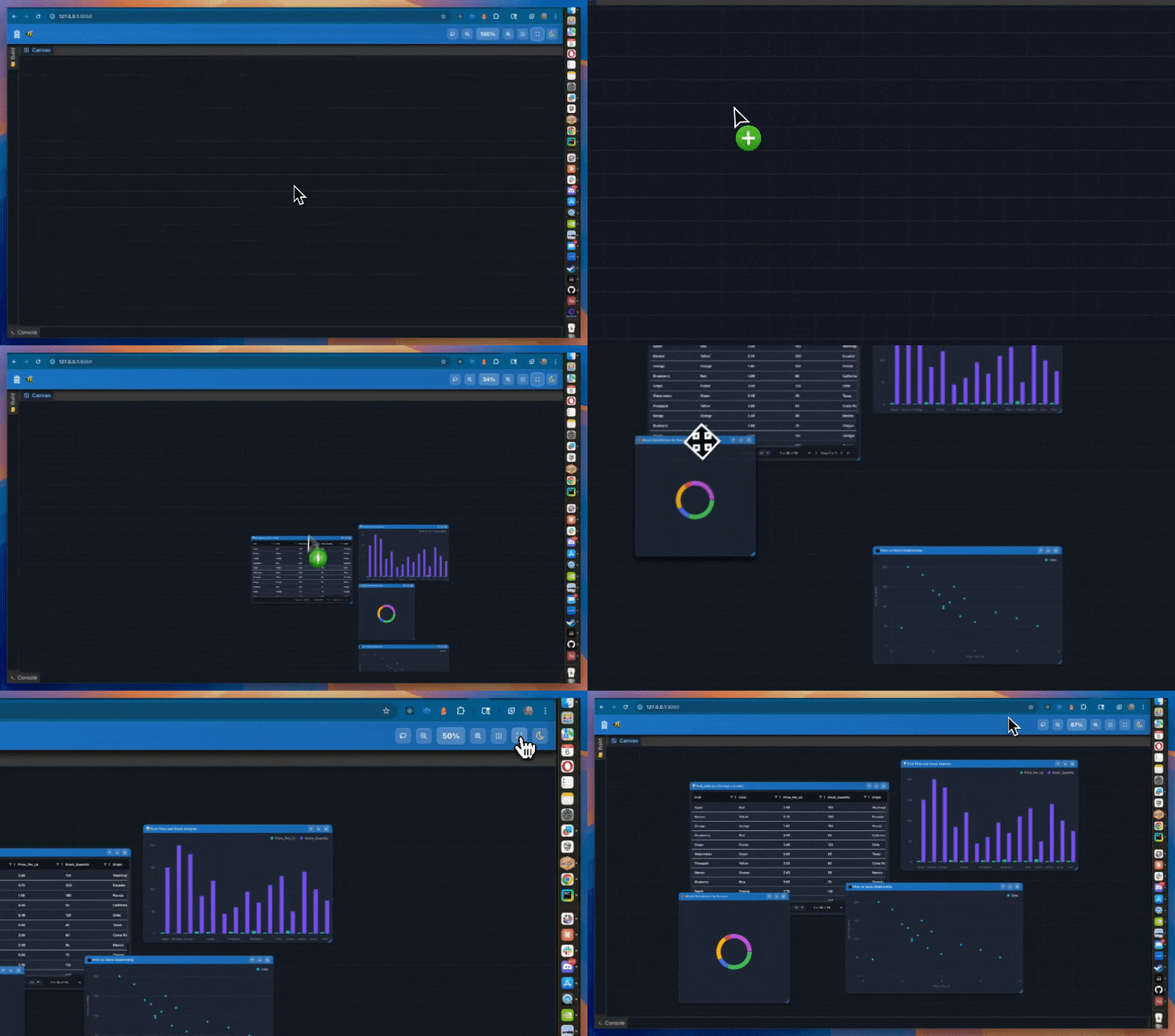
- Pan, zoom, and organize everything spatially
Think of it as a visual thinking space where Claude is your assistant.

 Key Features
 AI-Powered Content Creation
Simply describe what you need:
- “Add https://plotly.com and create a note about data visualization”
- “Show me this CSV file as an interactive chart”
- “Create a code snippet for a Python decorator”
Claude generates the perfect component and places it on your canvas.
 Smart Canvas Visualization
| Type | Description | Data Source |
|---|---|---|
iframe |
Embedded websites | URLs |
code |
Syntax-highlighted code | Files or AI |
text |
Text notes | AI generation |
image |
Single image | File upload |
image_gallery |
Multiple images (3+) | Multiple files |
image_with_note |
Image + annotation | AI combination |
pdf |
PDF viewer | PDF files |
video |
Video player | Video files |
markdown |
Rendered markdown | MD files |
grid |
Interactive data table | CSV/Excel |
area_chart |
Area chart | Data files |
bar_chart |
Bar chart | Data files |
line_chart |
Line chart | Data files |
donut_chart |
Donut chart | Data files |
scatter_chart |
Scatter plot | Data files |
Drag and Drop, No configuration needed - it just works!
 Batch Processing
The coolest feature: select multiple components (using the lasso tool or tree view) and ask Claude questions like:
- “Summarize these documents”
- “What are the common themes?”
- “Compare these code snippets”
Claude reads all selected content and gives you a comprehensive answer.
 Rich Component Library
Supports everything you need:
- Media: Images, galleries, videos, PDFs
- Code: Syntax-highlighted with copy button
- Data: Interactive tables and charts
- Web: Embedded websites (iframes)
- Text: Markdown, rich text notes
Beautiful UX
- Dark mode with elevation shadows (following the design.txt principles!)
- Resizable panels with DashDock
- Activity console tracking all operations
- Component tree for easy navigation
- Smooth pan/zoom with mouse or trackpad
 Demo
Demo
 Technical Stack
Built with:
- Backend: Python, Dash, Flask
- UI: Dash Mantine Components (beautiful dark theme!)
- AI: Anthropic Claude API (streaming responses)
- Charts: DMC Charts, Plotly
- Data: pandas, dash-ag-grid
- Canvas: Custom JavaScript
Key architectural decisions:
- Streaming SSE for real-time AI responses
- Component-based architecture for extensibility
- Client-side rendering for performance
- Modular ai handlers for clean separation
Current Status & Roadmap
 What works now:
- AI component generation with streaming
- File uploads (images, videos, PDFs, code, data files)
- Batch processing of selected components
- Interactive charts from CSV/Excel
- Full canvas manipulation (drag, resize, zoom, layer)
- Activity logging and component tree
 Coming soon:
- User accounts & canvas persistence (currently session-only)
- Real-time collaboration (multi-user)
- Export to PDF/PNG
- Gemini and GPT-4 support
- Mobile app
- Component templates library
 Questions I’d Love Feedback On
- What use cases would you try this for?
- What component types would you want to add?
- What AI models should I prioritize outside claude? (Gemini, GPT-4)?
- Canvas persistence: Local file, cloud storage, or database?
- Collaboration features: What would be most valuable?
 Final Thoughts
I built this because I wanted a visual thinking space that understands natural language. No more juggling tools - just describe what you need and Claude makes it happen.
The best part? Everything stays on one canvas. Pan left to see your research papers, pan right to see your data visualizations, zoom out to see the big picture.
Try it out and let me know what you think!
I’m especially curious to hear:
- What features would make this indispensable for your workflow?
- What types of content would you want to create?
- How would you use the batch processing feature?
Thanks for reading! Questions and feedback are super welcome.