I am creating an app that displays multiple AgGrids, each with many columns, requiring a horizontal scrollbar. I am setting columnSize=‘autoSize’ for each AgGrid. It seems that this property only changes the column size for the visible columns? I would like to learn how to make columnSize=‘autoSize’ affect all columns.
Below is a minimal working example. The tabs aren’t necessary for this example, but they allow for a comparison with the next example.
#!/usr/bin/env python3


from dash import Dash, dcc, html
import dash_ag_grid as dag
import pandas as pd


num_columns = 30
data = [{f'column {i}': i for i in range(num_columns)}]
df = pd.DataFrame(data)
column_definitions = [{'field': f'column {i}'} for i in range(num_columns)]

app = Dash(
    name=__name__
)

app.layout = html.Div([
    dcc.Tabs(id='tabs', value='tab-1', children=[
        dcc.Tab(id='tab-1', label='Tab 1', children=[
            dag.AgGrid(
                id='grid-1',
                rowData=df.to_dict('records'),
                columnDefs=column_definitions,
                columnSize='autoSize'
            )
        ]),
        dcc.Tab(id='tab-2', label='Tab 2', children=[
            dag.AgGrid(
                id='grid-2',
                rowData=df.to_dict('records'),
                columnDefs=column_definitions,
                columnSize='autoSize'
            )
        ])
    ])
])


if __name__ == '__main__':
    app.run(
        host='127.0.0.1',
        port=8050,
        debug=True
    )
Below are some screenshots that show the issue. Columns 0 - 17 have been autosized, but columns 18 - 29 have not. The same behavior occurs for both tabs.

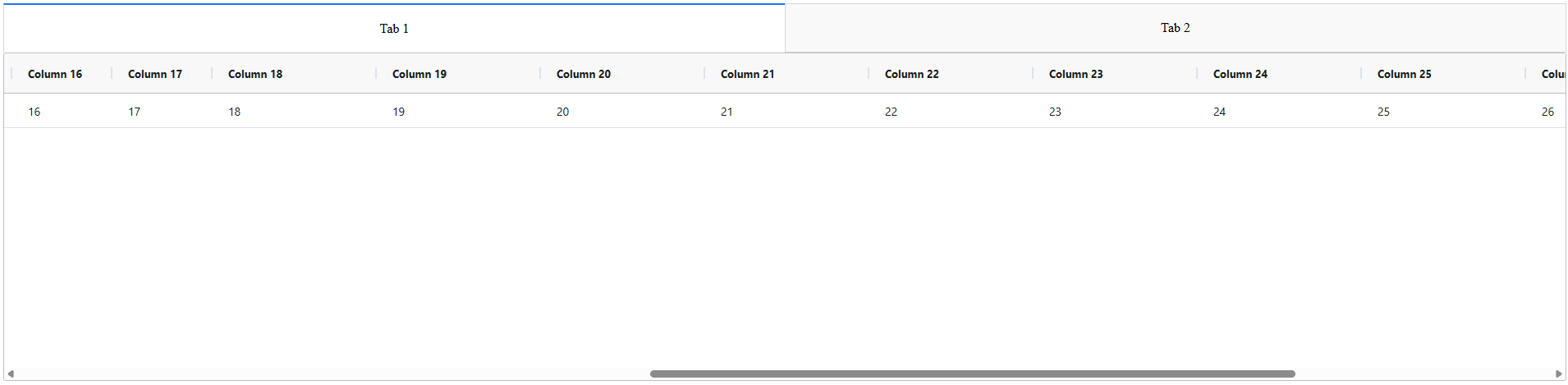
I expected all columns to be autosized. How do I make this happen?
Related to the above example is another minimal example below, in which the tabs play a role.
from dash import callback, Dash, html, Input, no_update, Output
import dash_ag_grid as dag
import dash_bootstrap_components as dbc
import pandas as pd

num_columns = 30
data = [{f'column {i}': i for i in range(num_columns)}]
df = pd.DataFrame(data)
column_definitions = [{'field': f'column {i}'} for i in range(num_columns)]

app = Dash(
    name=__name__,
    external_stylesheets=[dbc.themes.BOOTSTRAP]
)

app.layout = html.Div([
    dbc.Tabs(id='tabs', active_tab='tab-1', children=[
        dbc.Tab(tab_id='tab-1', label='Tab 1', children=[
            dag.AgGrid(
                id='grid-1',
                rowData=df.to_dict('records'),
                columnDefs=column_definitions,
                columnSize='autoSize'
            )
        ]),
        dbc.Tab(tab_id='tab-2', label='Tab 2', children=[
            dag.AgGrid(
                id='grid-2',
                rowData=df.to_dict('records'),
                columnDefs=column_definitions,
                columnSize='autoSize'
            )
        ])
    ])
])

#@callback(
#    Output('grid-2', 'columnSize'),
#    Input('tabs', 'active_tab'),
#)
#def auto_size_used_channels(active_tab):
#    if active_tab == 'tab-2':
#        return 'autoSize'
#    else:
#        return no_update

if __name__ == '__main__':
    app.run(
        host='127.0.0.1',
        port=8050,
        debug=True
    )
Like the first example, on Tab 1, columns 0 - 18 are autosized (although this is one more column than the previous example), and the rest are not. However, switching to Tab 2, columns 0 - 8 are very small, and the others have not been autosized.
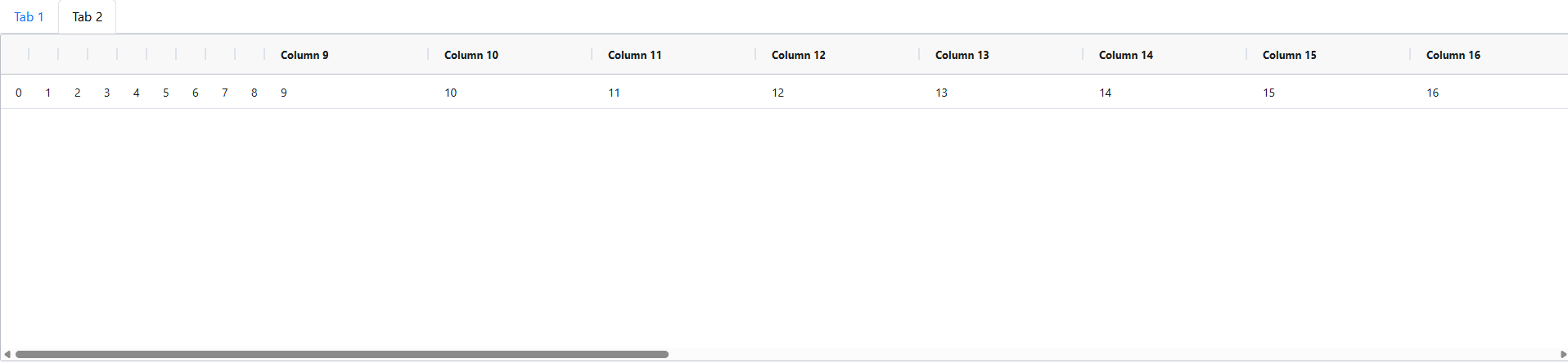
My solution for columns 0 - 8 on Tab 2 are to use the commented-out callback in the code above. But if there is a better solution, especially if it doesn’t require a callback, I’d love to know.