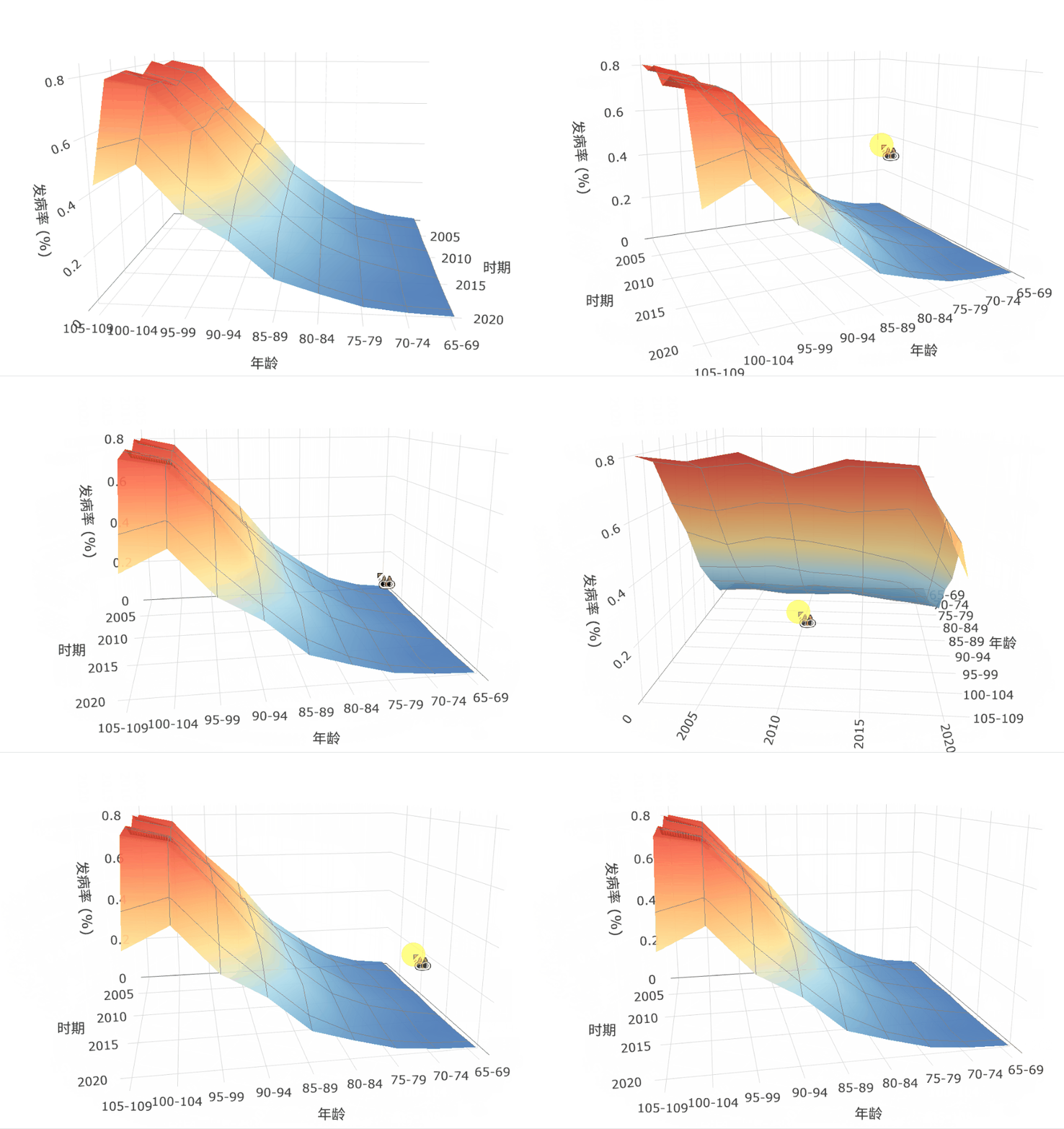
Hey I am new to plotly and I was wondering if there is a way where the camera axis can be ‘locked’ or have limit such that the view is limited to a specified range (for 3d graph) . Thanks for the help.
We don’t an easy expose a way to do this at the moment.
You can subscribe to https://github.com/plotly/plotly.js/issues/4150 for the most up-to-date development info.
I met the same trouble when using R package plotly to draw a 3d graph, and Claude Opus told me to use a JavaScript solution. Here are the steps it suggested:
Key Implementation Steps:
-
Disable Default Interaction:
We disabled Plotly’s native drag behavior (dragmode: false) to prevent the default orbital rotation, which allows unwanted vertical flipping. -
Custom Event Listeners:
We attached custom JavaScript event listeners (mousedown, mousemove, wheel, and touch events) to the plot container to intercept user inputs directly. -
Horizontal-Only Logic:
Inside the mouse move listener, we only track horizontal movement (dx) and ignore vertical movement (dy). This calculates a new rotation angle (theta) while keeping the camera’s Z-coordinate (elevation) constant. -
Camera Re-positioning:
We used trigonometry (Math.cos and Math.sin) to calculate the new camera eye position based on the horizontal angle and a fixed radius, then applied it using Plotly.relayout.
It really works for my program. Hope this helps.
HI @Hooper, welcome to the forums.
Did you actually develop the JavaScript? If so, could you share it here?
Sure, but I have to admit that I am not familiar with JavaScript. It was mainly Claude Opus who did the coding.
library(htmlwidgets)

# Define the custom JavaScript behavior
js_fix_camera <- "function(el, x) {
  var gd = document.getElementById(el.id);
  if(!gd) return;

  // Fixed camera parameters
  var fixedZ = 0.5;
  var radius = Math.sqrt(1.5*1.5 + 1.5*1.5); // ~2.12, now variable for zoom
  var minRadius = 1.0;  // minimum zoom (closest)
  var maxRadius = 5.0;  // maximum zoom (farthest)
  var fixedCenter = {x:0, y:0, z:0};
  var fixedUp = {x:0, y:0, z:1};
  var theta = Math.PI/4; // initial angle: 45 degrees

  // Set camera (no theta limits, full 360 rotation)
  function setCamera(t, r) {
    var newEye = {x: r * Math.cos(t), y: r * Math.sin(t), z: fixedZ};
    Plotly.relayout(gd, {'scene.camera': {eye: newEye, up: fixedUp, center: fixedCenter}});
  }

  // Disable default dragmode for 3D scene
  Plotly.relayout(gd, {'dragmode': false});

  // Custom mouse drag for horizontal rotation only
  var isDragging = false;
  var lastX = 0;

  // Find the scene container
  var sceneEl = gd.querySelector('.gl-container') || gd.querySelector('.plot-container') || gd;

  sceneEl.addEventListener('mousedown', function(e) {
    isDragging = true;
    lastX = e.clientX;
    e.preventDefault();
  });

  document.addEventListener('mousemove', function(e) {
    if(!isDragging) return;
    var dx = e.clientX - lastX;
    lastX = e.clientX;
    // Adjust theta based on horizontal mouse movement
    theta += dx * 0.01; // sensitivity factor
    setCamera(theta, radius);
  });

  document.addEventListener('mouseup', function(e) {
    isDragging = false;
  });

  // Scroll wheel for zoom
  sceneEl.addEventListener('wheel', function(e) {
    e.preventDefault();
    var delta = e.deltaY > 0 ? 0.1 : -0.1; // scroll down = zoom out
    radius = Math.max(minRadius, Math.min(maxRadius, radius + delta));
    setCamera(theta, radius);
  }, {passive: false});

  // Touch support for mobile
  sceneEl.addEventListener('touchstart', function(e) {
    if(e.touches.length === 1) {
      isDragging = true;
      lastX = e.touches[0].clientX;
    }
  });

  document.addEventListener('touchmove', function(e) {
    if(!isDragging || e.touches.length !== 1) return;
    var dx = e.touches[0].clientX - lastX;
    lastX = e.touches[0].clientX;
    theta += dx * 0.01;
    setCamera(theta, radius);
  });

  document.addEventListener('touchend', function(e) {
    isDragging = false;
  });
}"

# Usage:
# fig <- fig %>% htmlwidgets::onRender(js_fix_camera)
Here, this gif may show the effect.