Hi everyone,
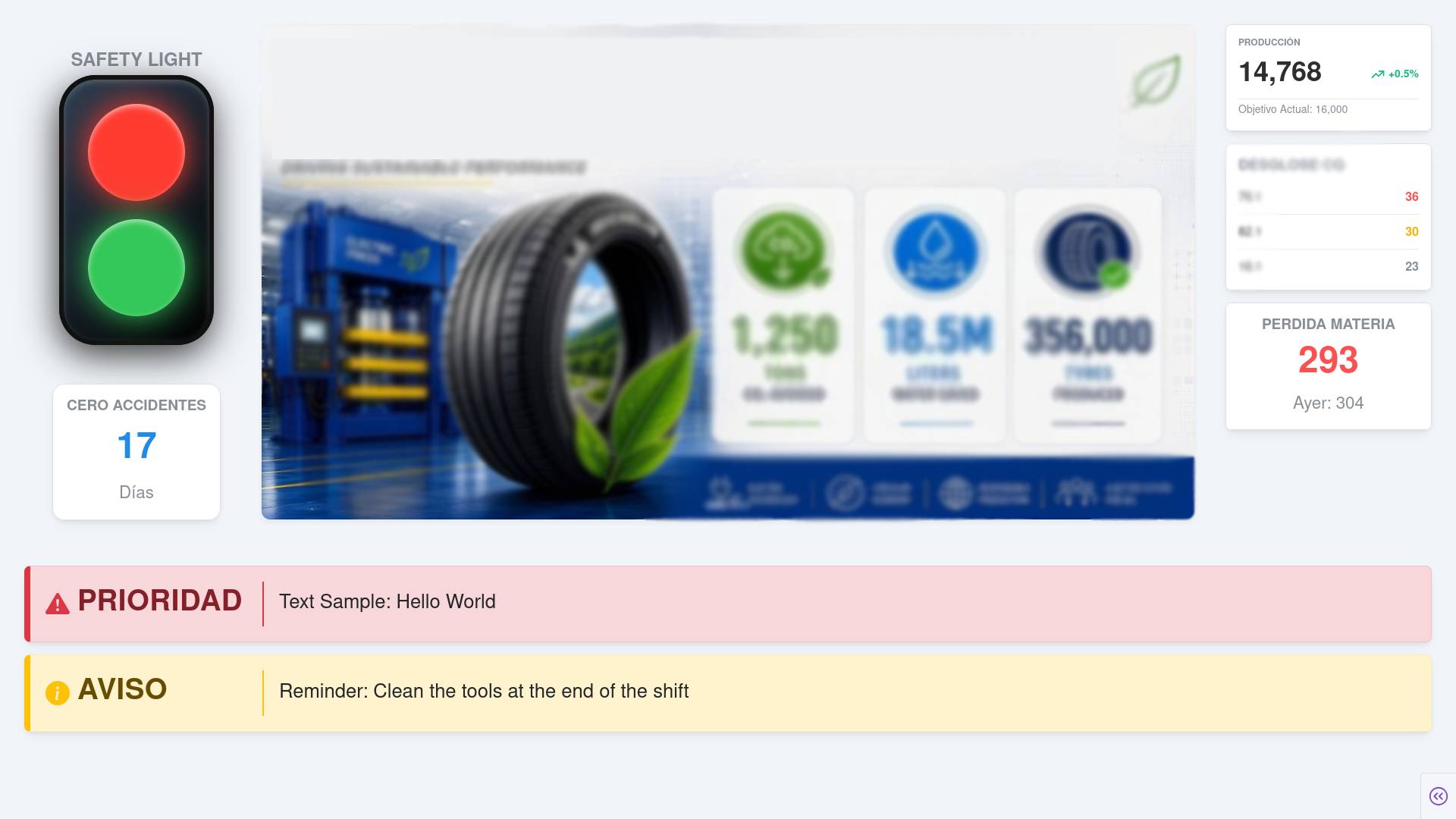
I’m currently building an industrial kiosk web application hosted inside Dataiku. The app runs on a dedicated screen and features:
-
A central carousel for operational updates.
-
An alerts/notice section for real-time priority warnings.
-
Dedicated zones for KPI metrics and visual indicators (like a traffic light status).
Tech Stack History & Context: I started using dash-bootstrap-components (DBC), but recently migrated to dash-mantine-components (DMC) to give the application a more modern and clean aesthetic. I read that it would be advisable to use Tailwind CSS (via CDN).
1. Elevating Aesthetics & React-Only UI Libraries While looking for inspiration, I found many modern component libraries like Shadcn UI, DaisyUI, Aceternity UI, PrimeVue, or Unstyled UI. However, almost all of them are strictly built for React, Vue, or JS frameworks.
-
For those building Dash apps: how do you bring that level of modern polish into Python?
-
Is
dash-mantine-componentsalone enough with custom CSS, or do you rely on extra tricks/libraries to avoid the “flat” dashboard look?
2. Central Carousel Banner: Image Template + Overlay vs. Pure HTML/CSS? Currently, our central carousel displays a static Photoshop image with blank spaces, where I place dynamic number labels using relative CSS positioning (that’s the idea; right now, it’s a static image.).
-
The Dilemma: Is sticking with an image-template + relative overlays acceptable for a fixed kiosk screen, or should I rebuild the entire banner in pure HTML/CSS?
-
Tools tested: I tried using “Screenshot to Code” AI tools to convert the design into HTML/CSS, but the output was too messy.
-
If you recommend pure HTML/CSS, what patterns/libraries (e.g., Mantine Grid +
dash-iconify) would you use to build a rich infographic banner directly in Python?
3. Architecture & Dataiku Constraints Given the deployment constraints of Dataiku WebApps, is staying on Dash the right choice long-term, or have you hit a ceiling where migrating to a React frontend + FastAPI backend became necessary?
4. Custom TSX/React Components in Python Has anyone used Plotly’s dash-component-plugins to wrap modern React/TSX libraries into custom Python components for production? How heavy is the maintenance overhead?
5. Animated Split-Flap / Vento Board Easter Egg For a holiday easter egg on the kiosk, I want to add an animated split-flap (flip board / airport style) display to cycle through metrics. Has anyone built or wrapped a CSS/JS split-flap component inside Dash?
Any feedback, repo references, or UI tips would be awesome!
P.S. Just a quick note: I’m not a dedicated web/frontend developer. While I can comfortably read, adapt, and write code, my main priority is maximizing the effort-to-result ratio—getting the cleanest, most modern UI possible with the least friction and setup time.
