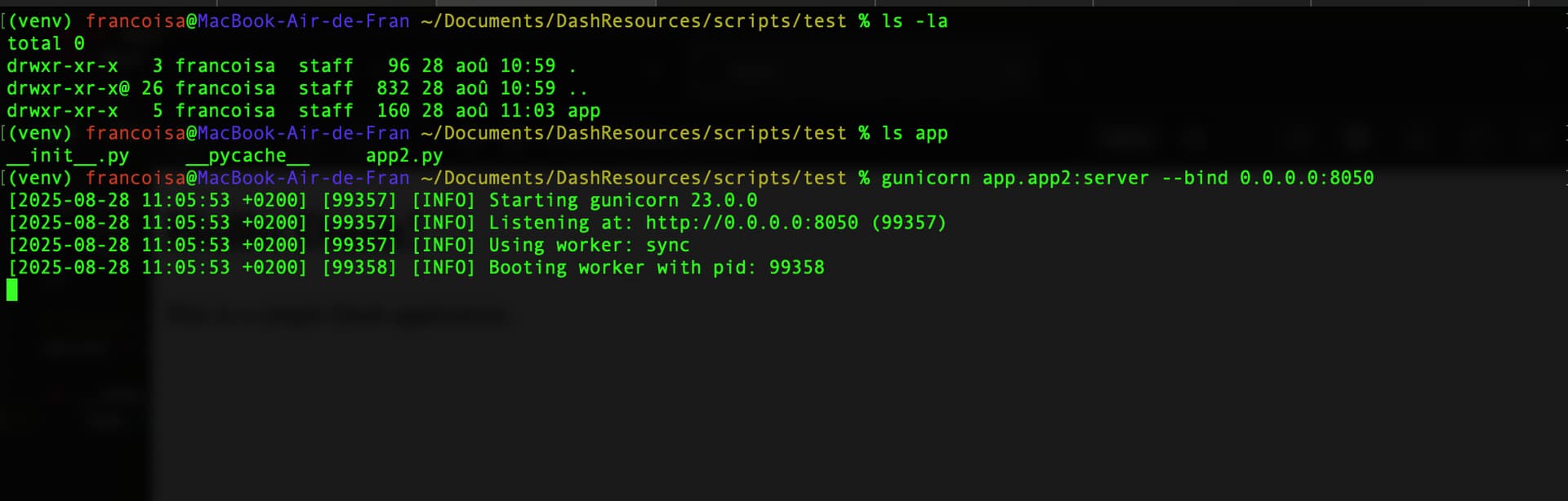
I have the simplest structure. A folder called app and inside an empty __init__.py as well as this app2.py
# app/app2.py
import dash
from dash import html

# Create the Dash app
app = dash.Dash(__name__)

# Define the layout
app.layout = html.Div([
    html.H1("Hello Dash!"),
    html.P("This is a simple Dash application.")
])

# Expose the Flask server for Gunicorn
server = app.server

if __name__ == "__main__":
    app.run(debug=True)
Very simple!. When I do python -m app.app2 I can see my dash running on http://127.0.0.1:8050/.
However when I try to run it with gunicorn (from the correct folder! - so many LLMs have told me " you should be running it from inside app") it always fails
$ gunicorn app.app2:server --bind 0.0.0.0:8050
[2025-08-28 15:50:48 +0900] [794954] [INFO] Starting gunicorn 23.0.0
[2025-08-28 15:50:48 +0900] [794954] [INFO] Listening at: http://0.0.0.0:8050 (794954)
[2025-08-28 15:50:48 +0900] [794954] [INFO] Using worker: sync
[2025-08-28 15:50:48 +0900] [794955] [INFO] Booting worker with pid: 794955
[2025-08-28 15:50:48 +0900] [794955] [ERROR] Exception in worker process
Traceback (most recent call last):
  File "/home/me/miniconda3/envs/py310/lib/python3.10/site-packages/gunicorn/arbiter.py", line 608, in spawn_worker
    worker.init_process()
  File "/home/me/miniconda3/envs/py310/lib/python3.10/site-packages/gunicorn/workers/base.py", line 135, in init_process
    self.load_wsgi()
  File "/home/me/miniconda3/envs/py310/lib/python3.10/site-packages/gunicorn/workers/base.py", line 147, in load_wsgi
    self.wsgi = self.app.wsgi()
  File "/home/me/miniconda3/envs/py310/lib/python3.10/site-packages/gunicorn/app/base.py", line 66, in wsgi
    self.callable = self.load()
  File "/home/me/miniconda3/envs/py310/lib/python3.10/site-packages/gunicorn/app/wsgiapp.py", line 57, in load
    return self.load_wsgiapp()
  File "/home/me/miniconda3/envs/py310/lib/python3.10/site-packages/gunicorn/app/wsgiapp.py", line 47, in load_wsgiapp
    return util.import_app(self.app_uri)
  File "/home/me/miniconda3/envs/py310/lib/python3.10/site-packages/gunicorn/util.py", line 370, in import_app
    mod = importlib.import_module(module)
  File "/home/me/miniconda3/envs/py310/lib/python3.10/importlib/__init__.py", line 126, in import_module
    return _bootstrap._gcd_import(name[level:], package, level)
  File "<frozen importlib._bootstrap>", line 1050, in _gcd_import
  File "<frozen importlib._bootstrap>", line 1027, in _find_and_load
  File "<frozen importlib._bootstrap>", line 1004, in _find_and_load_unlocked
ModuleNotFoundError: No module named 'app.app2'
[2025-08-28 15:50:48 +0900] [794955] [INFO] Worker exiting (pid: 794955)
[2025-08-28 15:50:48 +0900] [794954] [ERROR] Worker (pid:794955) exited with code 3
[2025-08-28 15:50:48 +0900] [794954] [ERROR] Shutting down: Master
[2025-08-28 15:50:48 +0900] [794954] [ERROR] Reason: Worker failed to boot.
How can I make gunicorn run the app? Please dont tell me that I am in the wrong folder.