DBC + Font Awesome Icons not working as expected

Hey,

I’m following the documentation here: Icons - dbc docs

I am trying to add some icons to DBC Tabs, here is the code:

import dash_bootstrap_components as dbc
from dash import html, Dash

tabs = dbc.Tabs(
    [
        dbc.Tab(
            html.Div("This is the content of tab 1", className="p-4"),
            label="Tab 1",
        ),
        dbc.Tab(
            html.Div("This is the content of tab 2", className="p-4"),
            label="Tab 2",
        ),
    ],
    id="labelled-tabs",
)


app = Dash(
    __name__,
    external_stylesheets=[
        dbc.themes.BOOTSTRAP,
        dbc.icons.FONT_AWESOME,
    ],
    title="Dash Tabs Example",
)


app.layout = dbc.Container(
    [
        dbc.Row(dbc.Col(html.H2("Dash Tabs Example"), className="my-3")),
        dbc.Row(dbc.Col(tabs)),
    ],
    fluid=True,
)


if __name__ == "__main__":
    app.run(debug=True, port=8050)

and the CSS in the assets folder:

#labelled-tabs .nav-item .nav-link::after {
  font-family: 'Font Awesome 6 Free';
  font-weight: 200;
  font-style: normal;
  margin: 0px 0px 0px 10px;
  text-decoration: none;
}

#labelled-tabs .nav-item:nth-child(1) .nav-link::after {
  content: '\f2db';
}

#labelled-tabs .nav-item:nth-child(2) .nav-link::after {
  content: '\f2bd';
}

Resulting tabs:
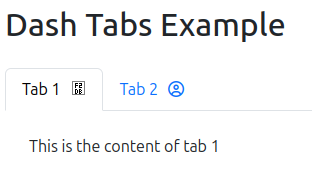
According to Microchip Classic Solid Icon | Font Awesome f2db is the correct unicode for the microchip icon, however it is not showing up, as can be seen in the image and I am not sure why.

Any help is much appreciated !
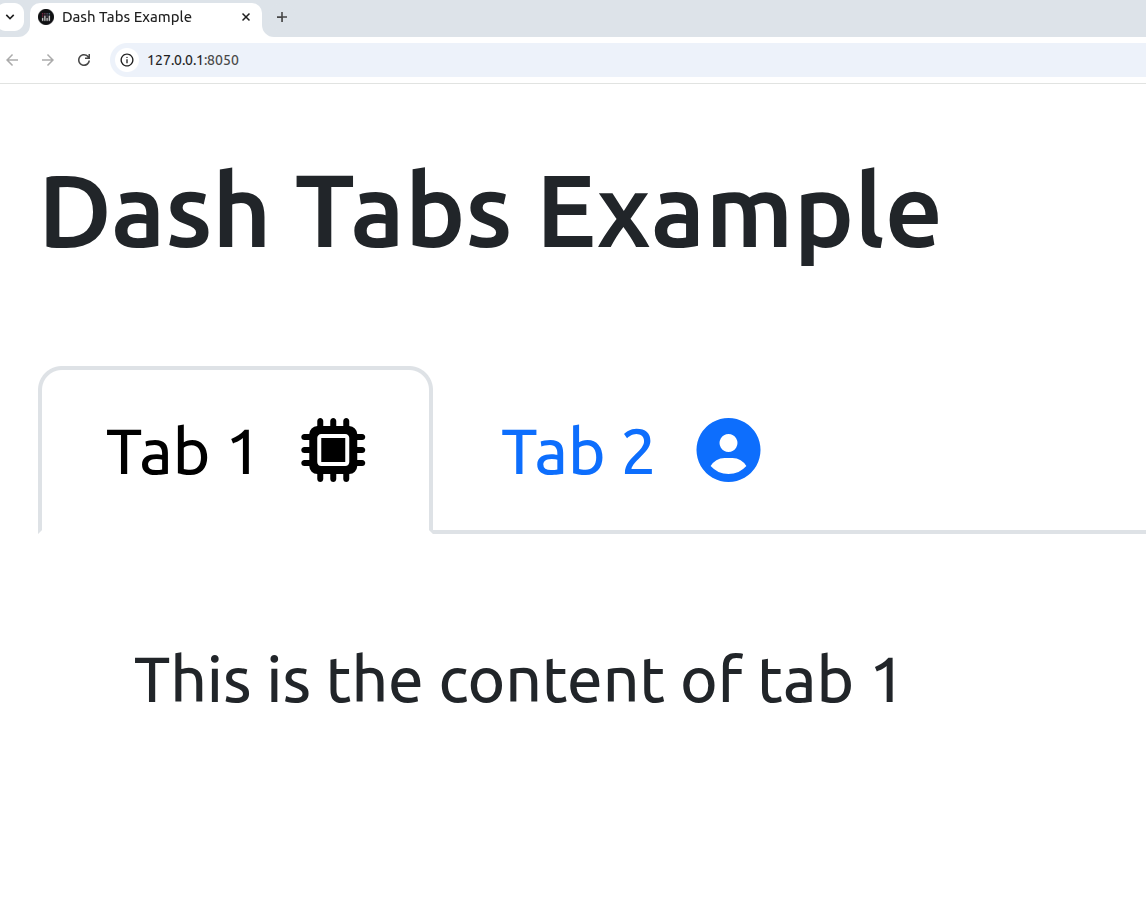
Hey @j4m

In my experience mixing DBC and custom css does not always work as intended. What works in your case is the following:

  • include the font awesome stylesheet
  • change the font weight to >500 in your css file

EDIT: Actually just changing the font weight is suffice in your case. But sometimes including the css stylesheet directly helps.

import dash_bootstrap_components as dbc
from dash import html, Dash

tabs = dbc.Tabs(
    [
        dbc.Tab(
            html.Div("This is the content of tab 1", className="p-4"),
            label="Tab 1",
        ),
        dbc.Tab(
            html.Div("This is the content of tab 2", className="p-4"),
            label="Tab 2",
        ),
    ],
    id="labelled-tabs",
)


app = Dash(
    __name__,
    external_stylesheets=[
        dbc.themes.BOOTSTRAP,
        "https://cdnjs.cloudflare.com/ajax/libs/font-awesome/6.6.0/css/all.min.css",
    ],
    title="Dash Tabs Example",
)


app.layout = dbc.Container(
    [
        dbc.Row(dbc.Col(html.H2("Dash Tabs Example"), className="my-3")),
        dbc.Row(dbc.Col(tabs)),
    ],
    fluid=True,
)


if __name__ == "__main__":
    app.run(debug=True, port=8050)
#labelled-tabs .nav-item .nav-link::after {
  font-family: 'Font Awesome 6 Free';
  font-weight: 900;
  font-style: normal;
  margin: 0px 0px 0px 10px;
  text-decoration: none;
}

#labelled-tabs .nav-item:nth-child(1) .nav-link::after {
  content: '\f2db';
}

#labelled-tabs .nav-item:nth-child(2) .nav-link::after {
  content: '\f2bd';
}

2 Likes