Dash Mantine Components v2.7.0 is out! 
-
New
activemodes forNavLinkhandle styling automatically based on the URL—including query strings—no Dash callbacks required. -
Ability pass more HTML attributes to button components with the new property
buttonProps -
This is the final update for the upstream Mantine v8 library (8.3.18).
Note: While Mantine v9 is now available, DMC v2.x remains built on v8. Be sure to use the Mantine v8 docs for upstream reference!
NavLink active improvements
The active prop in NavLink controls whether a link is highlighted as active. It can be set manually (True/False)
or automatically based on the current URL.
Two new active modes were added in this release:
active=“exact-with-search”
This mode matches the current route using both the pathname and the query string. It is ideal when query parameters
define the page content.
Example:
/products?category=shoes will not match /products?category=hats.
active=“children”
Sets the parent NavLink as active when any of its child links are active. This is useful for nested navigation, where
the parent should reflect the active state of its child links.
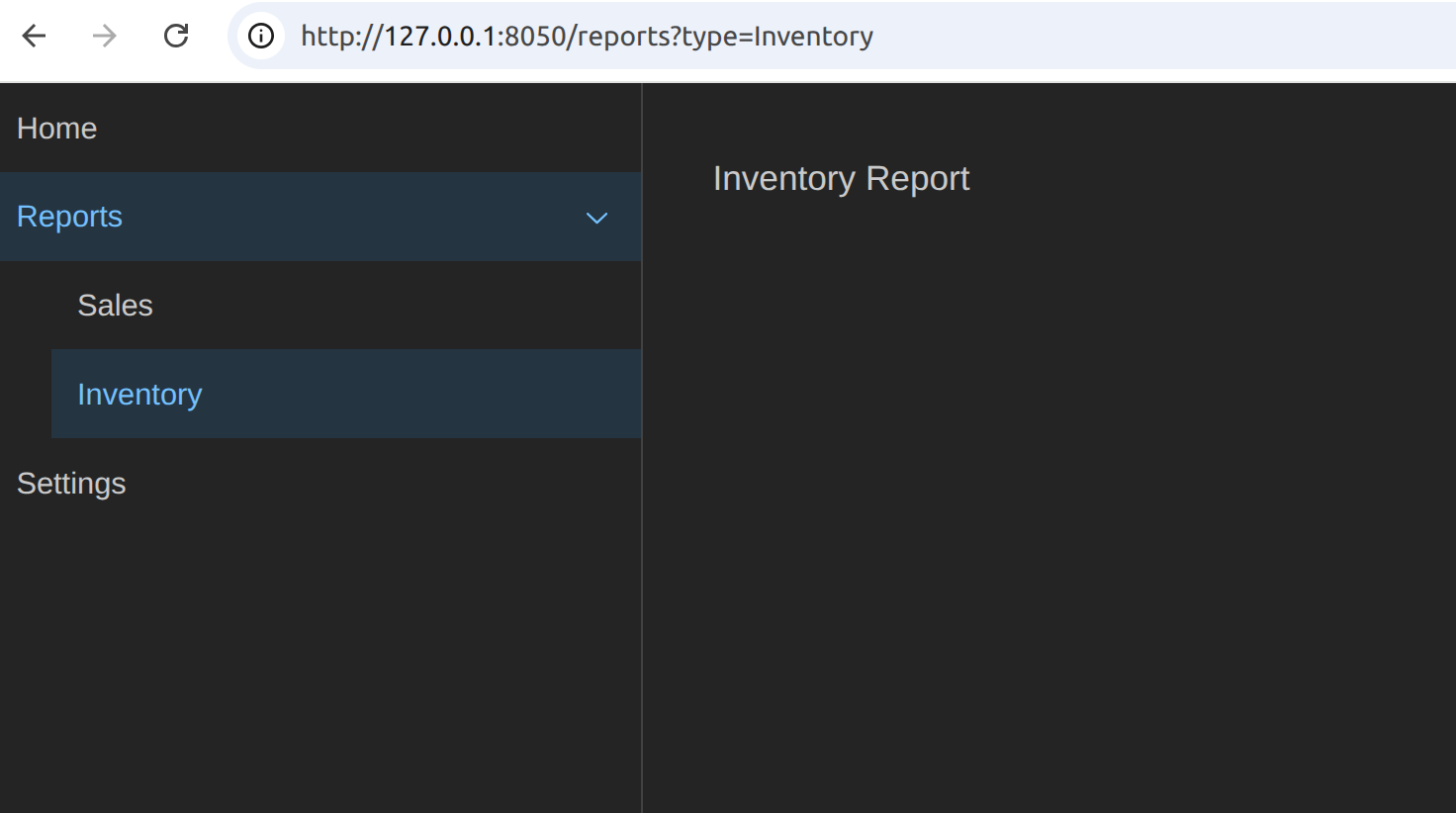
NavLink Example with a multi-page app
This example uses Dash Pages to create a simple multi-page app. For simplicity, all
pages are defined in a single file instead of separate folders.
It demonstrates active="exact-with-search" with query strings and shows how active="children" keeps a parent link
active when a child route is selected.
import dash
import dash_mantine_components as dmc

app = dash.Dash(use_pages=True, pages_folder="")


def reports_layout(type=None, **kwargs):
    return dmc.Box(f"{type} Report ")

dash.register_page("home", path="/", layout=dmc.Box("Home"))
dash.register_page("reports", path="/reports", layout=reports_layout)
dash.register_page("settings", path="/settings", layout=dmc.Box("Settings"))


nav = dmc.Box([
    dmc.NavLink(label="Home", href="/", active="exact"),
    dmc.NavLink(
        label="Reports",
        active="children",
        childrenOffset=28,
        children=[
            dmc.NavLink(
                label="Sales",
                href="/reports?type=Sales",
                active="exact-with-search",
            ),
            dmc.NavLink(
                label="Inventory",
                href="/reports?type=Inventory",
                active="exact-with-search",
            ),
        ],
    ),
    dmc.NavLink(label="Settings", href="/settings", active="exact"),
])

app.layout = dmc.MantineProvider(
    dmc.AppShell(
        [
            dmc.AppShellNavbar(nav),
            dmc.AppShellMain(dash.page_container),
        ],
        padding="xl",
        navbar={"width": 300},
    )
)

if __name__ == "__main__":
    app.run(debug=True)
buttonProps
Pass props directly to the underlying <button> element. Available on Button, ActionIcon, UnstyledButton, and CopyButton.
Props are applied to the underlying <button> element rather than the wrapper component. This is intended for native
attributes such as type, name, form, or aria-*. Component-level props like color and variant should still
be set directly on the DMC component itself.
Examples
Using buttonProps ensures attributes like type="submit" are applied to the native element:
html.Form(
    [..., dmc.Button("Submit", buttonProps={"type": "submit"})],
    method="dialog",
)
Thanks
Special thanks to @alexcjohnson for your helpful feedback during code reviews.