tldr: here’s a Dash App to get insights into library versions that might be causing issues in your Python environment
- Link to the app: https://libraries-resources.plotly.app/
- Demo+explanation video: Libraries Resources | Loom
Have you ever been to dependency hell? 
Dependency hell is what I call that situation where a Python library version is causing a problem in your environment but you don’t know (yet) which library it is and which version you should choose to fix it.
How to identify when you are in dependency hell?
- Code that was working fine suddenly stops working one day and you haven’t made any changes to it.
- A Dash App that works in your local environment doesn’t work when it’s deployed (this can also have other causes, if you need help with further debugging, check this article).
- You get an error message in the logs like: ImportError: cannot import name X from Y’
These situations share a common cause: the code expects a certain version of a library and it’s actually getting an incompatible one, so some functions or imports that need to be run are failing.
In Dash Apps, expectations are represented by the requirements.txt file; reality is represented by the result of running pip freeze in a terminal in the environment(s) of interest (e.g. your local environment or a Dash Enterprise workspace). Even if all of the libraries in your requirements.txt have exact pins (e.g. dash==4.0.0), their dependencies might not even be listed.
So, when dependency hell happens, you find yourself in a consuming search that combines PyPi, GitHub, Google, each library’s official documentation, etc.
I’ve created a Dash App to simplify this process by allowing you to:
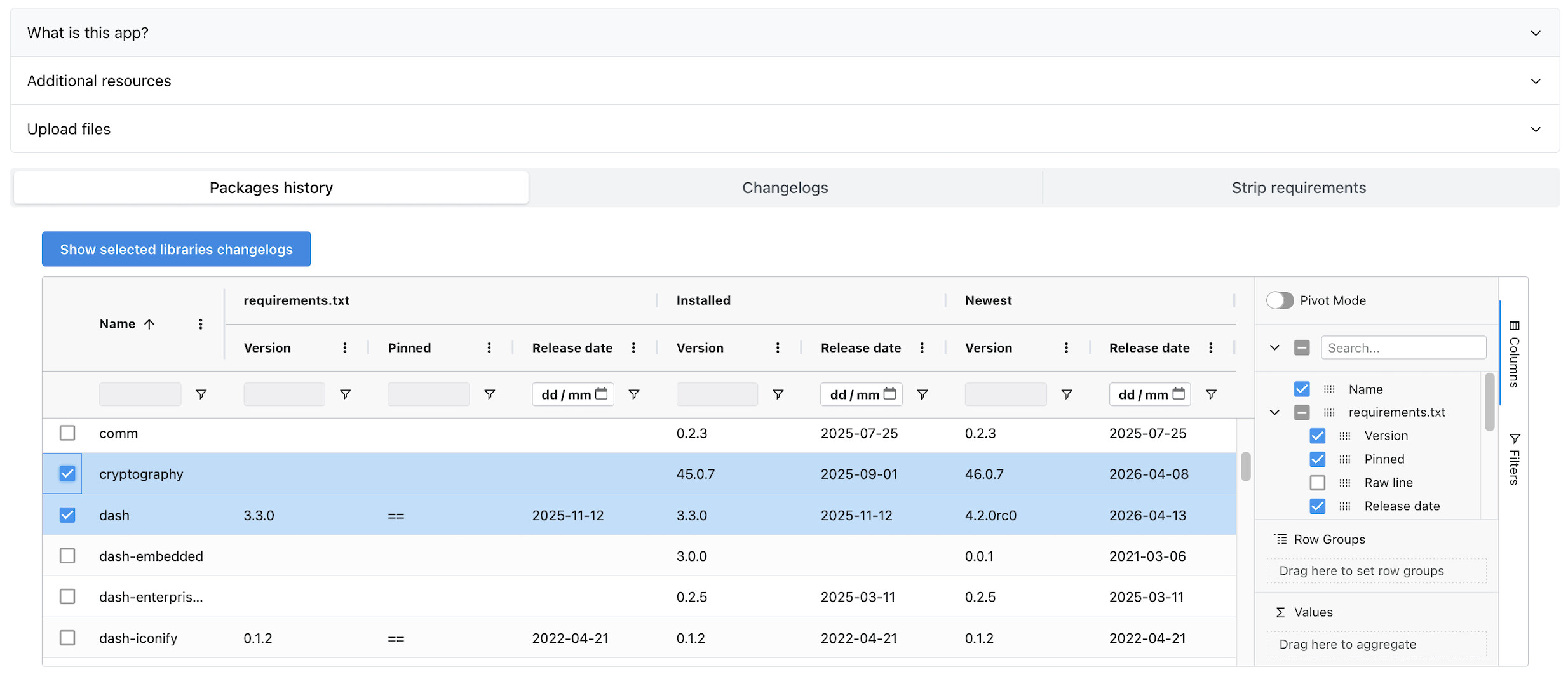
- Compare requirements.txt and the result of pip freeze to see which libraries have a mismatch.
- Check the most recent update (version number, release date) for any library listed in requirements.txt and/or the result of pip freeze.
- Check the Changelog for any library (yes, without leaving the app!).
- Check additional resources to debug dependency hell (spoiler: pipdeptree is among them).
This app is deployed on Plotly Cloud, so you can check it (and use it!) here: libraries-resources.plotly.app/
If you want to learn more about this app and review its source code, even generate a copy to deploy in your own environment, you can visit the GitHub repository here: github.com/celia-lm/libraries-changelogs